

Maintain Station Library
Instructions
- Select Survey menu
- Select Surveying submenu
- Select Maintain Stations option
The following panel displays.
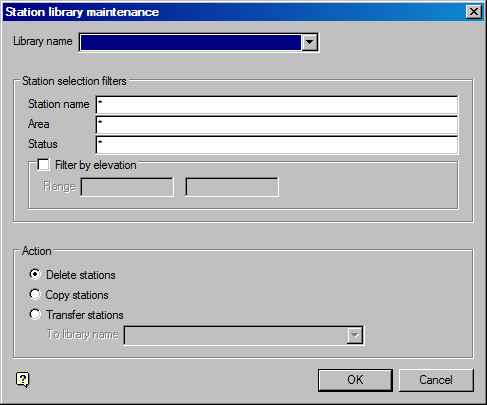
List Survey Stations panel
Station library name
Enter, or select from the drop-down list, the name of the station library that contains the stations to be listed.
Station selection filters
The stations to be listed can be selected by name, area and status. Wildcards are allowed (* multi-character wildcard, % single character wildcard).
Filter by elevation
Select this check box to filter results by elevation, and enter the elevation range.
Action
Select to Delete, Copy or Transfer stations. If you are copying or transferring stations, select the library to copy or transfer to.
Was this page helpful?
