

Preferences - Draw by Hand
Filtering
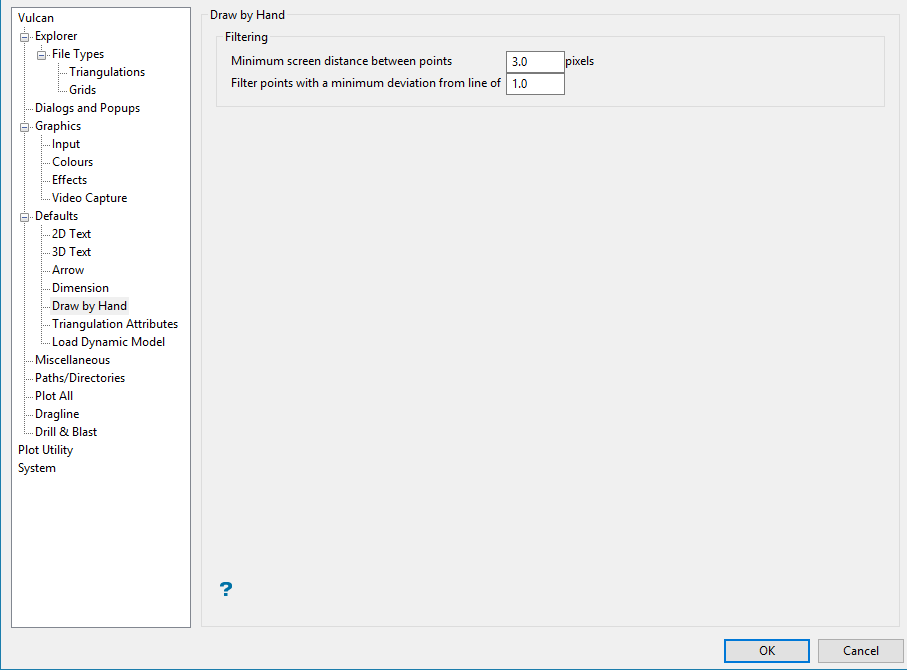
Minimum screen distance between points
Enter the minimum distance you want to see between each pixel as you drawn the line. While the line is being drawn on the screen, it will be represented by pixels being evenly distributed along the line before any filtering takes place. After you finish drawing the line, an automatic filtering process will remove unneeded pixels.
Filter points with a minimum deviation from line of...
A point is filtered if its perpendicular distance to a line joining the two points either side of it is less than the minimum deviation from line value.
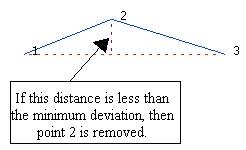
Figure 1: Line Deviation
You will need to specify the minimum distance between a point and the line joining the points either side of the point in question. The point will be removed if it is closer to the line than this value. The measurement format (that is, metres or feet) for the value is also displayed. Refer to the Map Window tab of the New design parameters option for more information on specifying the measurement format.
