

Load By Polygon
Use the Load By Polygon option to load only those parts of layers that fall inside or outside of a nominated polygon.
Polygon objects are partially loaded, that is the individual coordinates are loaded or rejected depending on whether they fall inside or outside the bounding polygon. Text objects (2D and 3D) are loaded or rejected in their entirety depending on their origin coordinate. Other objects, such as dimension arrows, are currently rejected wholesale.
Note: Layers loaded using this option can be edited like any other layer. The layers can, however, only be saved if the database in which they are being saved is different from the one from which they were loaded. Ensure that the polygon to be used as the boundary is already loaded into the current window. The layer(s) that you want to mask by the polygon should not be loaded.
Instructions
On the File menu, point to Layers, and then click Load By Polygon.
Select the polygon that you want to use as the boundary. You will need to confirm your selection. Once confirmed, specify whether to load the data found inside or outside of the nominated boundary polygon.
The following panel is then displayed.
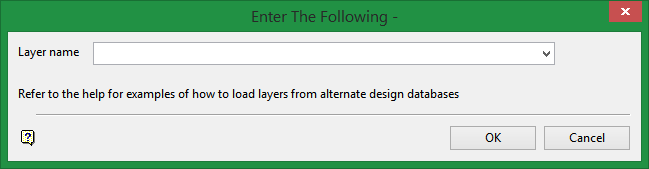
Layer name
Select the layer containing the data you want to load. The drop-down list contains the names of all layers found in the currently open design database.
Wildcards (* multi-character and % single character) can be used to load multiple layers.
For example, if you have three objects in three layers (for example 'Layer1', 'Layer2' and 'Layer3'), then all three objects could be selected by typing 'Layer*'.
Click OK.
Only those parts of the layers that lie in or, if applicable, outside of the nominated polygon displays onscreen. You will be prompted to select another layer.
