

Edit
Edit the window
Use the Edit option to change the parameters, such as coordinate extent, of a window.
The parameters of windows (other than the Primary Window) are stored in the Windows Parameters file (<proj>.wnd). Changing the parameters will affect the current session and all subsequent sessions.
The parameters of the Primary Window are stored in the project/job specification file (.dg1). Changing the parameters through the Edit option will only affect the current session. Permanent changes must be made in the project file.
Instructions
On the View menu, point to Windows, and then click Edit to display the Select or key item panel.
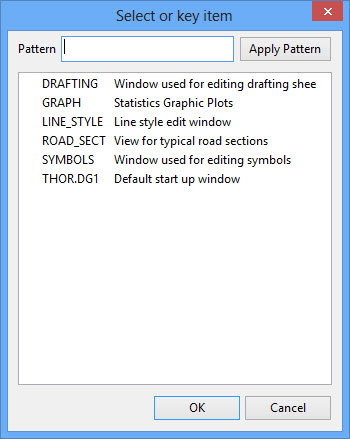
The panel displays a list of all available windows.
Use the Pattern field to highlight window names that follow a specific naming pattern. For example, entering P* in the field will result in Windows that have names starting with p being highlighted. You can use wildcards (both * multi-character and ? single character). Select the required window.
Click OK to display the Coordinate Window panel
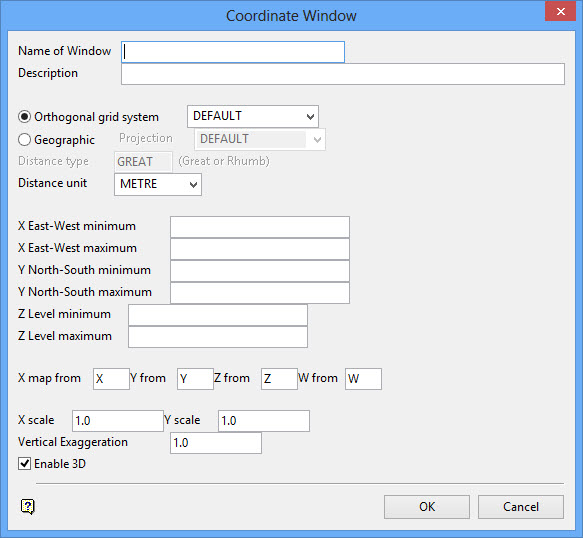
Refer to the View > Windows > Create option for information on normal windows and the View > Shaft View > Create option for information on shaft transformation windows.
