

Edit Macro 
Edit a Replay Macro
Use the Edit Macro option to make changes to the contents of an existing macro file (<proj><id>.<application>_cmnd).
Instructions
Click the Edit Macro button  on the Rsvute toolbar.

or
On the Rsvute menu, point to Files, and then click Edit Macro to display the Edit Macro panel.
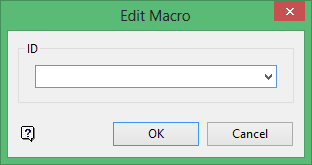
Select the macro that you want to edit.
Click OK.
The macro file is then opened through a text editor (outside of Vulcan). The Notepad application is the default text editor for Windows, however, you can use the ENVIS_EDIT environment variable to reference a different text editor.
Use the Save Macro option to save the changes.
Was this page helpful?
