

Derived Variables
Use the Derived Variables option to extend the reporting capabilities by reporting on variables, which are derived from others, without forcing you to create an explicit grid of the variable(s).
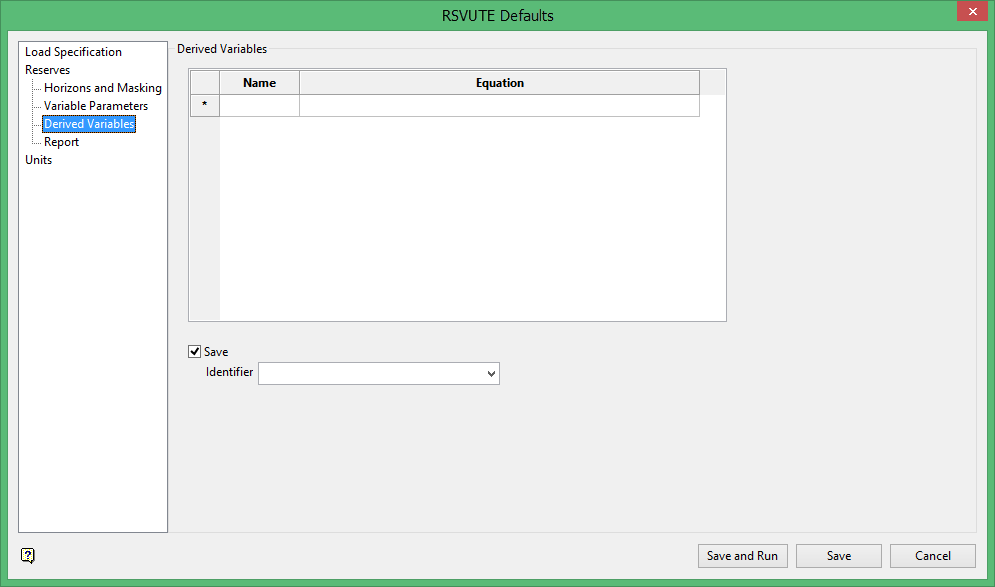
The derived variables are stored in a file with the format:
<proj><name>_calc.rsu_data
To run this option from the command line, type:
DERIVED_VARIABLES /NAME=('variable name') /IDENTIFIER='file name' /EQUATION=('equation') /SAVE
Example: DERIVED_VARIABLES /NAME=('LCY') /IDENTIFIER='planob_calc.rsu_data' /EQUATION=('OVER:VOLUME*1.1') /SAVE
The /IDENTIFIER command can only be used when saving the variables to a file, i.e. using the /SAVE command.
Name
Enter the name of the new variable, for example royal for royalty.
Equation
Enter an equation defining the new variable. The equation can reference other variables in the model and the standard variable.
Example: 0.037*coal:volume.
Each variable has three values associated with it:
-
Area
-
Thickness
-
Volume
The standard variables are:
-
coal
-
over
-
inter
-
burden
The over, inter and burden values refer to the over/interburden values calculated by Rsvute. In addition to these standard values, the coal variable has a tonnage value. Variables reported have all three standard values, the tonnage value and also an average value.
For example, the following variables may be used in a calculation:
coal:area
coal:thick
coal:volume
coal:tonnage
over:area
over:thick
over:volume
inter:area
etc.
burden:area
etc.
<var>:area
<var>:thick
<var>:volume
<var>:tonnage
<var>:average
Note: <var> refers to a user defined variable, for example OB (overburden), AS (Ash) and hence OB:VOLUME AS:AVERAGE. All averages are weighted averages.
Save
Select this check box to save a set of derived variable definitions (equations).
Identifier
Enter the name under which the derived variables are saved. The maximum size is 10 alphanumeric characters. If the file already exists, you will be prompted whether to overwrite this file or not. In the latter case you can re-select the option and specify another file name.
