

Grade shells
Use the Grade shells command to view areas of the block model above a particular cut-off grade.
Notes The calculations are done at the finest resolution of the smallest sub-block scheme in the model. This option cannot be used with block model files that were constructed through the Block > Construction > Create Stratigraphic Solid option.
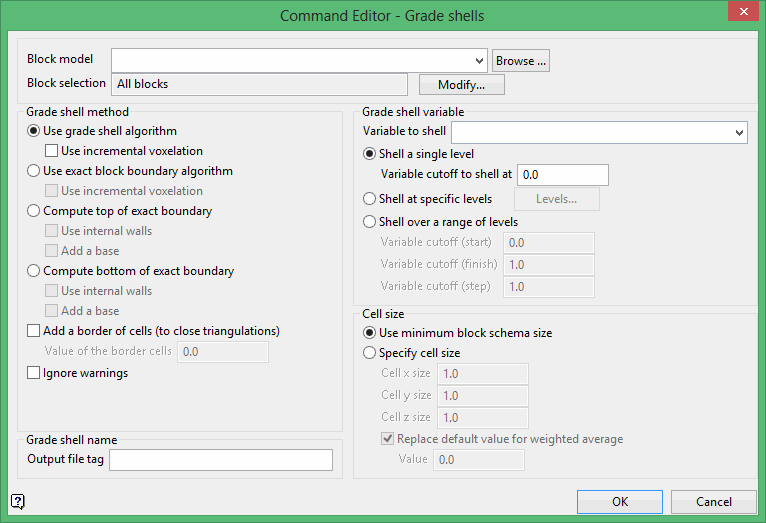
Block model
Select the block model that you want to use.
The drop-down list contains all block models found within the current working directory. Click Browse to select a file from another location.
Block selection
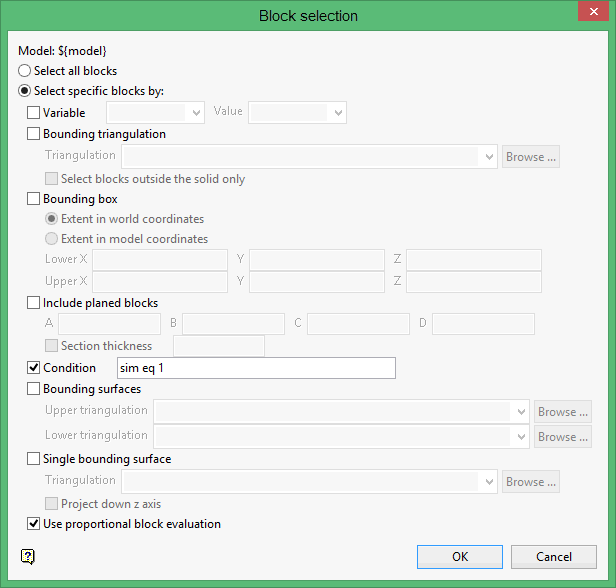
Select the Modify option to configure the selection criteria that will be used to select the necessary blocks. Once selected, the Block Selection panel will be displayed.
Was this page helpful?
