

Calculate Rock Mass Classification
If Calculate Rock Mass Classification is enabled in the Rock Mass Classification section of Create Resources, then the Rock Mass Rating (RMR) can be calculated for the desired mapping polygons.
Instructions
On the Face Mapper menu, point to Mapping, then click Calculate Rock Mass Classification.
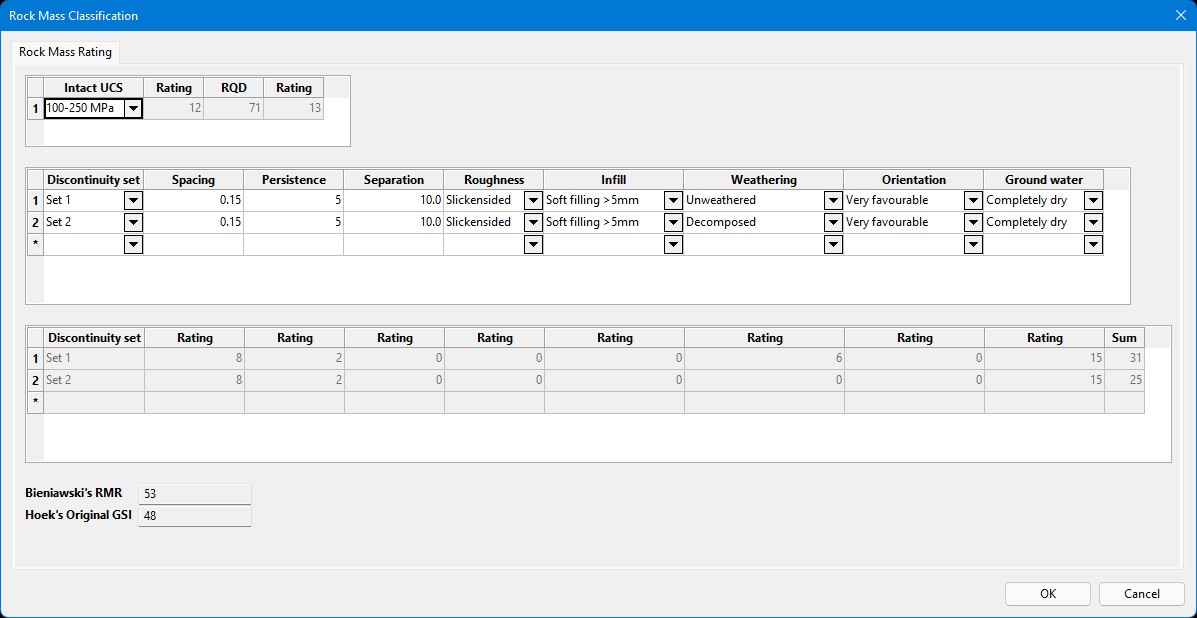
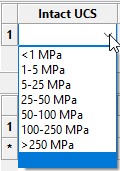
Intact UCS
The uniaxial compressive strength (UCS) of the rock material. Can be selected from one of the following:
RQD
Rock Quality Designation (RQD), calculated from inputs.
Discontinuity set
Discontinuity sets can be selected from the drop-down list, populated from the Rock Mass Classification section of Create Resources
Spacing
The observed spacing of the discontinuity set.
Persistence
The observed persistence of the discontinuity set.
Separation
The observed separation of the discontinuity set.
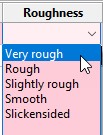
Roughness
The observed roughness of the discontinuity set. Can be selected from one of the following:
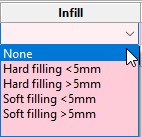
Infill
The observed infill for the discontinuity set. Can be selected from one of the following:
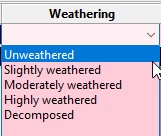
Weathering
The extent of weathering for the discontinuity set. Can be selected from one of the following:
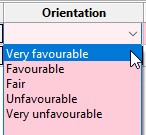
Orientation
The orientation of the discontinuity set. Can be selected from one of the following:
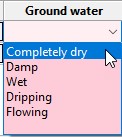
Ground water
The amount of ground water observable in the discontinuity set. Can be selected from one of the following:
Instructions
Fill in the panel with the appropriate values for the desired mapping polygon, then once OK is pressed on the panel, select the polygon to apply the values to. The values from the panel will be recorded as templated attributes against the selected polygon.
