

Load
Use the Load option to load an existing line style and display it in the Line Style Editor Window.
Alternatively, you can also load a line style by right-clicking on it in the Vulcan Explorer (Resources Tab - Line Style Databases folder) and choosing Select from the context menu.
Instructions
On the File menu, point to Line Styles, and then click Load to display the Load panel.
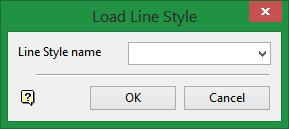
Line Style name
Enter, or select from the drop-down list, the name of the line style that you want to load.
Click OK.
The line style is then loaded into the Line Style Editor Window.
Was this page helpful?
