

Source Database Setup
Use this option to set up a source database specification which contains the names of the required record and fields in the Isis design database that hold the washability data.
Typically, this is required to be set up once but if there are different databases for different geological units, then each database requires its own connection and configuration to be defined.
In most cases, it is necessary to set up a source database specification but sometimes it might not be required when you have a pre-built metafile used as the data source. For more information, see Standardisation Settings option.
Instructions
On the Washability menu, point to Setup, and then click Source Database Setup to display the following panel.
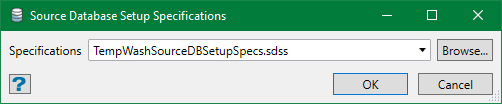
Specifications
Select the specification file to be edited from the drop-down list or browse from another directory. By default, it is pre-populated with the last specification edited or set up.
You can also create a new specification file. Either leave the field blank, in which you will be prompted for a name when you save the specifications, or enter a new name here. The new name must be unique or it opens the existing data for edit.
Click OK and the Source Database Setup Specifications panel is displayed. If a specification file is selected, the panel is automatically populated with the data from the file or else the panel is blank.
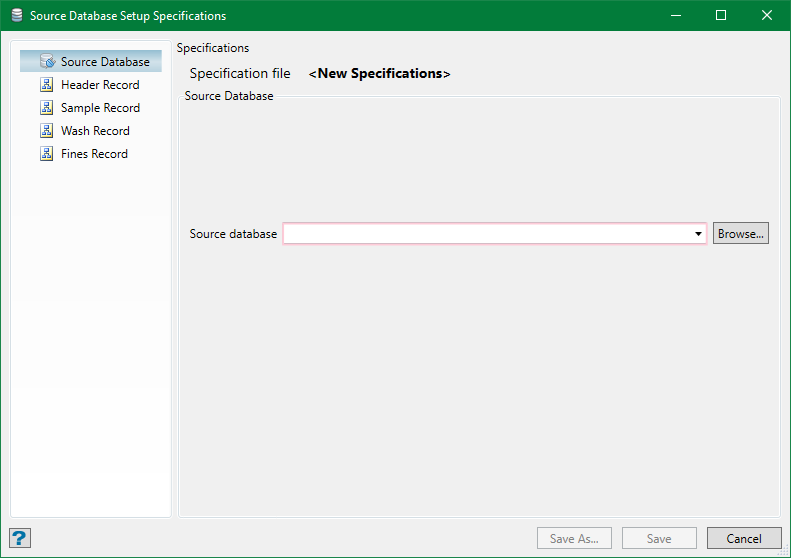
Select a source database that needs to be set up for this system. The source database is essentially a drillhole database with some extra parameters. The parameters are:
Header Record
The header record is similar to any Isis-based drillhole database providing the drillhole position and name information.
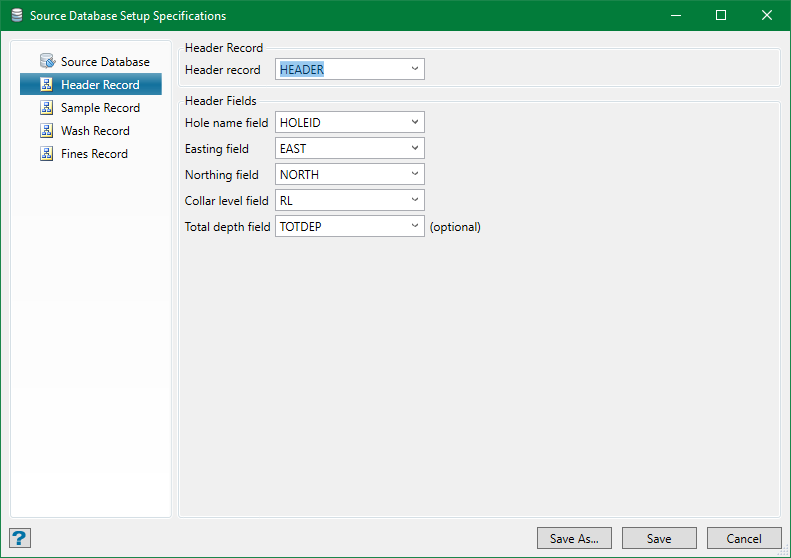
Select the required values from the drop-down list. The record must contain information defining the hole name and three coordinate values for the hole collar to qualify as a usual drillhole header record. Nominate the fields which contain these data. If available, it is also recommended to nominate the Total depth field as it can be useful when samples don't cover the full length of the hole.
Sample Record
The sample record is a regular geology log record or a specific sample log record. This record needs to hold downhole depth information for the samples/logs and unique sample id (at least within the hole) to relate the samples to washability data in the Wash and Fines records.
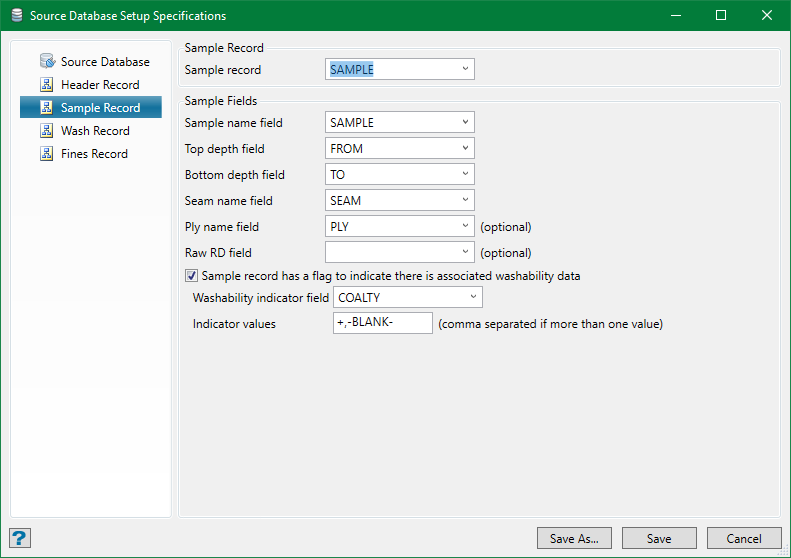
Select the required values from the drop-down list. The record must contain the usual geological log data of downhole depths and horizon ID (seam name and optional ply name). It also needs to have a field with sample id, the value of which will be used to determine the related washability and fines records.
In some condition, there can be a flag to indicate whether or not there is associated washability information for a sample. Select the checkbox to specify and indicate the type of wash data. If there are more than one value to be indicated, specify all possible values separated by comma. If the wash data availability is indicated by an empty field, use the special entry BLANK. This flag speeds up the data search as it doesn't search for the sample id in wash data.
Note: The system does not recognise white space as an entry and discards all white spaces at the end of entry.
Wash Record
The wash record contains the wash tables from gravity-separation analysis. Each table comprises a number of rows (one per float fraction and one sink) for each analysis. The system resolves the issue of duplicated tables for the same sample id. The table structure is placed heterogeneous as Standardisation Settings will do the task of restructuring and compositing/averaging them.
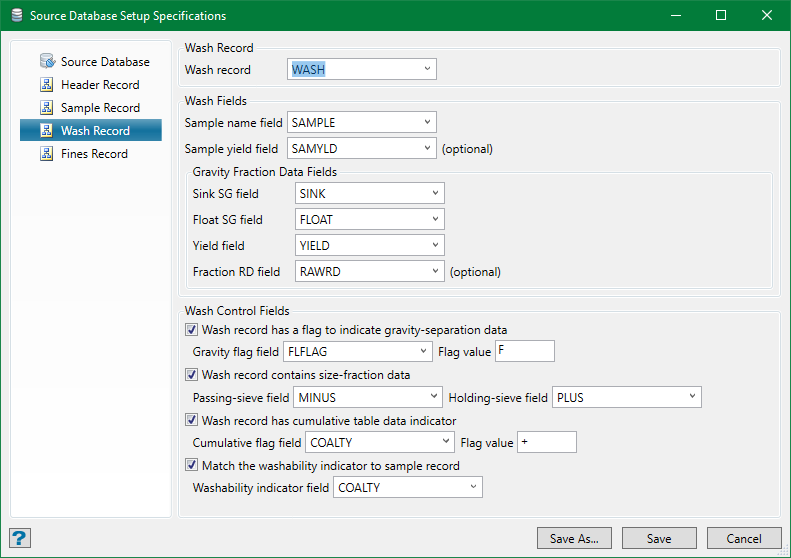
Select the required values from the drop-down list. These records are not part of usual drillhole data defining geology but a group of them is used to define a standard wash table. Each record is a single fraction in the table and therefore each record in the group must contain at least the sink and float densities used for that fraction and the yield of the sample obtained (Yield field) as well as the sample ID field used to match the analysis to the sample/depth log data.
If the sample is analysed as various size-fractions (see Wash Control Fields) or has a proportion analysed as fines, it is better to have a Sample Yield field containing the proportion of the sample used in each analysis (each size-fraction has a separate wash table). The sample yield allows for correct weighted averaging of the tables when combining size-fractions. However, this field it is optional.
Wash Control Fields
These are optional fields and are required only in certain circumstances:
-
Wash record has a flag to indicate gravity-separate data
The gravity-separation flag field is only needed if more than one type of data is being stored in the same database table (such as, wash and fines using the same record type). -
Wash record contains size-fraction data
The size-fraction data is discussed briefly above. It is necessary to nominate both the passing-sieve and holding-sieve size fields. -
Wash record has cumulative table data indicator
Wash tables can be supplied in either fractional or cumulative form (fractional is better, as precision is lost when reverting cumulative back to fraction for combinatorial analysis). However, if both types are used, a field must be supplied which indicates when a wash table is cumulative. If no indication is given, the tables are assumed to be fractional when loaded but will be checked to see if they contain cumulative data. This check is not foolproof, so the use of flag is highly recommended. -
Match the washability indicator to sample record
This option will be available for selection only when a field and its contents have been specified in the sample record to indicate that there is wash data available, otherwise it is disabled. If required, it is possible to perform a match between the value(s) nominated on the sample record. If this option is selected, it will only pick those wash tables which match a value in the indicator list and the sample ID.
Note: At this stage, no fields are nominated for the assay variable values measured for the float fractions. The fields on this record which contain these values will be selected as part of the standardisation process.
Fines Record
This record is optional if fines data have been captured from an analysis. The system deals with Froth and Tail, Timed-Froth and Tail, and Slimes data types. This record can be similar to Wash Record, but it is necessary to have field flags indicate what goes where in the same table/record group.
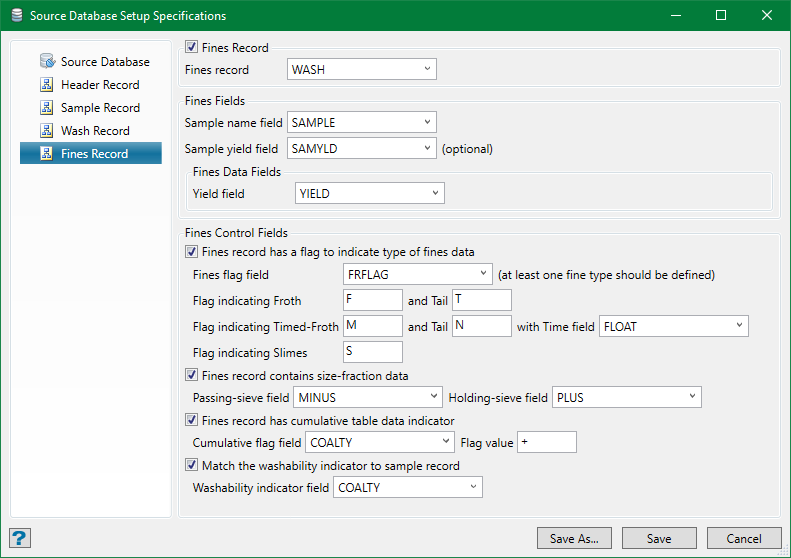
Select the required values from the drop-down list. This may be, as in our example here, the same record used for the gravity-separation data.
Required fields are sample ID and yield fields. As with the gravity-separation tables, the sample yield data is useful when combining wash data from more than one analysis type for the same fraction. However, it is optional in all cases. Sample yield is assumed as 100% if not specified i.e. all analyses will get the same weight.
Fines Control Fields
These are optional fields and are required only in certain circumstances. They are quite similar to the Wash Control Fields, except with a slight variance:
-
Fines record has a flag to indicate type of fines data
The fines flag field is needed to determine the different type of fines analysis as well as separate the fines and gravity data if specified in the same record type group. If a fines flag field is not specified (when a different record type is used), it will simply select the variable values and yield to dilute other samples in a combination.
Source Database Parameters
