

Grade Control Database Setup
Blast Holes
Use this function to link to an existing database.
Note: : This option will not be enabled unless all of the Define Data Sources setup has been completed and is valid.
Instructions
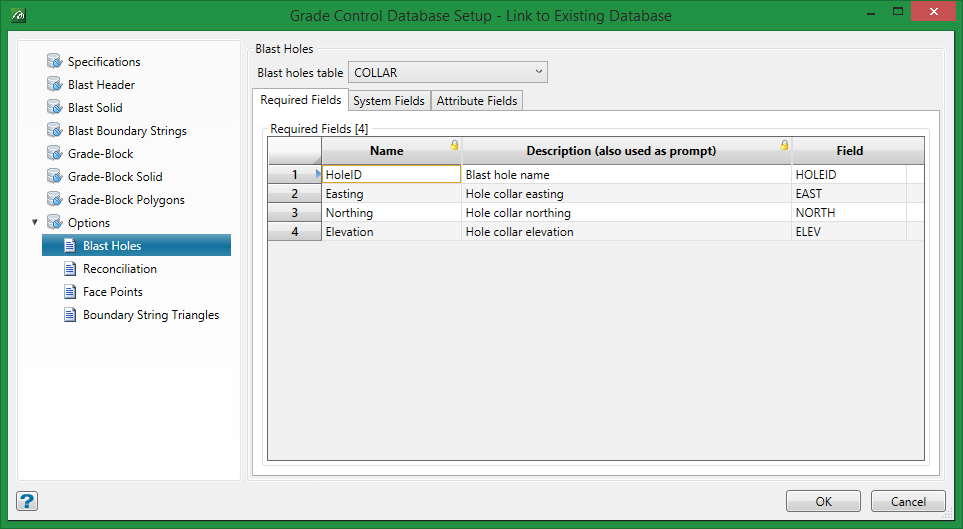
On the Grade Control menu, point to Setup, then click Define Data Sources to display the following interface.
Required Fields
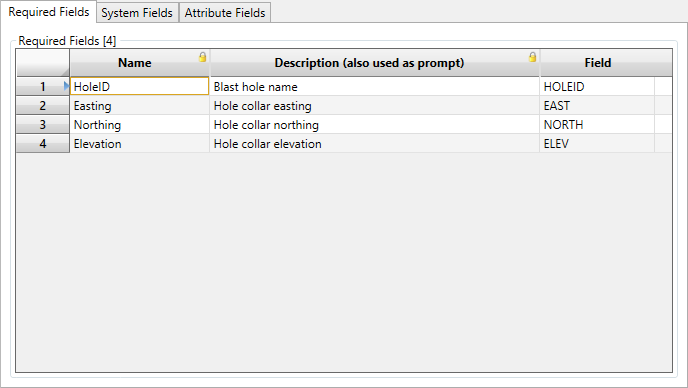
If Grade-Control database Blast-Holes were selected in the Data Source Definition as the source for data, then this option must be turned on (and this tab completed) to provide valid specifications.
For any other data source, this information may still be provided (to allow for switching between sources at a later date) but won’t affect spec validity.
As shown in the image above, the required fields are simply the hole name, easting, northing and elevation of the hole collar.
System Fields
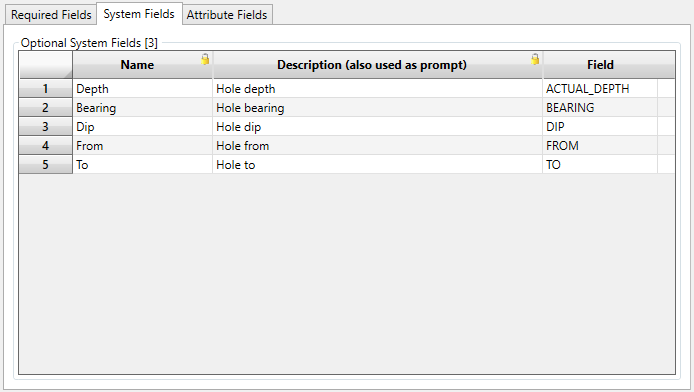
All of the items are optional (although bearing and dip would be meaningless without depth). If these items are not provided, the hole will simply be marked with the appropriate marker at the collar location.
Note: To utilise the From and To fields, you will need to select a column for the Depth system field as well. Giving these two field columns will permit you to have multiple entries per blast. This allows you to see multiple blast flitches in screen.
Attribute Fields
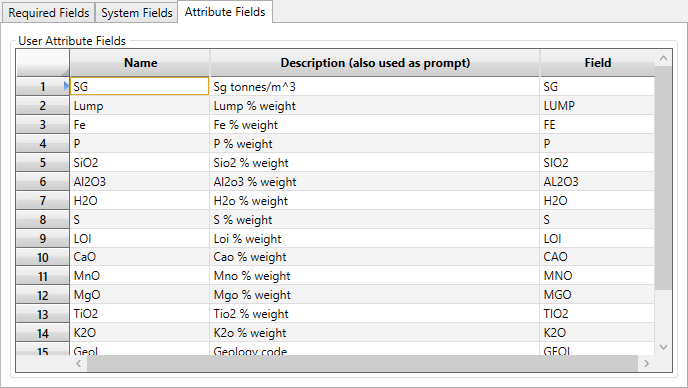
The attribute fields section is identical to that for the Grade-Block (see above). However, it is worth noting that neither the field names nor the names given for internal use need match those given in the grade-block attributes.
