

Standardise Tables
Use this option to allow the required standardisation to run from the specification. The standardisation specifications are set up in the Standardisation Settings. It is envisaged that specification setup is likely to be a one-off operation for one or a few specifications whereas running the standardisation from the specifications is likely to happen every time as new data becomes available.
Instructions
On the Washability menu, click Standardise Tables to display the following panel.
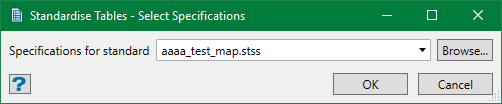
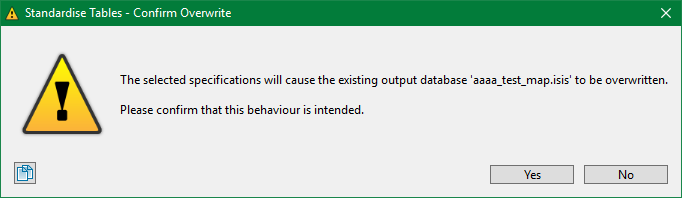
Select the specification file to be edited from the drop-down list or browse from another directory. By default, it is pre-populated with the last specification edited or set up. If the specification selected causes any existing data (database and/or text file) to be overwritten or replaced, a confirmation warning message appears. This is because update/append is not possible or not requested. Make sure you carefully read the message and confirm to make sure that your confirmation was intentional because once overwritten, there is no mechanism to recover the data.
After this, the system extracts the data from the source database (or source metafile) and processes the extracted data to the sink database and/or text file. This might take several minutes depending upon the amount of data extracted. You can see a progress bar to know the stages of the process. You can hit Cancel to terminate the process any time you like.
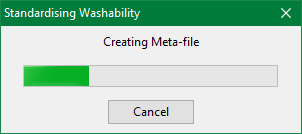
There are two main stages in the process, creating a metafile and processing the metafile. The creation of the metafile from a source database is performed by the Inquisitor system provided with Vulcan. During the data extraction, an Inquisitor console window will be seen in the Explorer, which disappears if the extraction goes successful. If not, the process is terminated and the Inquisitor console will provide the error details.
Throughout the whole process, the Washability console details the feedback information on the state of the process, something like below.
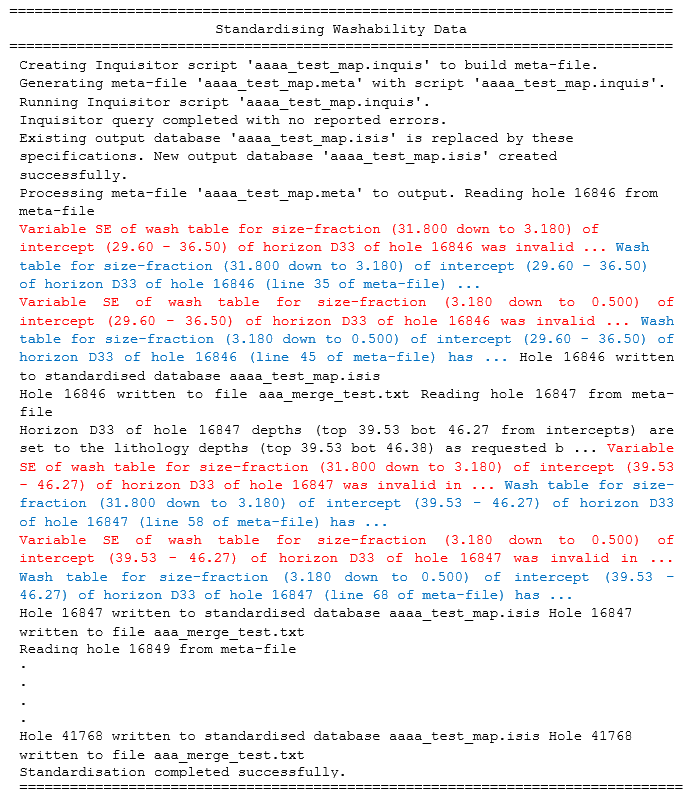
This is a very lengthy and detailed log of the process for checking on the results produced. However, the statements are colour-coded by Workbench system as shown above— black for information, blue for warning, and red for error. The log display for seeing the messages can be controlled using the standard console window settings option. The content can also be printed or stored in a file for future reference.
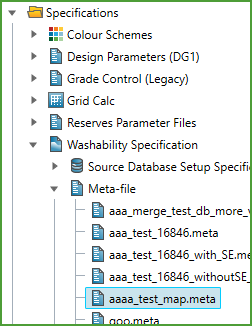
Assuming that a metafile needs to be created in the first stage of the process, both the auto-generated Inquisitor script and the metafile itself will be retained for audit purposes. They will have the same root name as the specifications used for the standardisation. In the above example, the specifications were called aaaa_test_map.stss, so the script and metafile will be aaaa_test_map.inquisand aaaa_test_map.metarespectively and may be examined using any text-editor. The metafiles may be found under Specifications > Washability Specification > Meta-file node in the Explorer.
This is how a standard database is successfully generated by running the Standardise Tables option. The standardised tables can be examined individually or as horizons (horizon groups) using the hole interrogation options provided by Interrogate Graphs. More likely, the data in these tables will be required for modelling to allow for area interrogation or Harp/Block model reporting.
