

Save
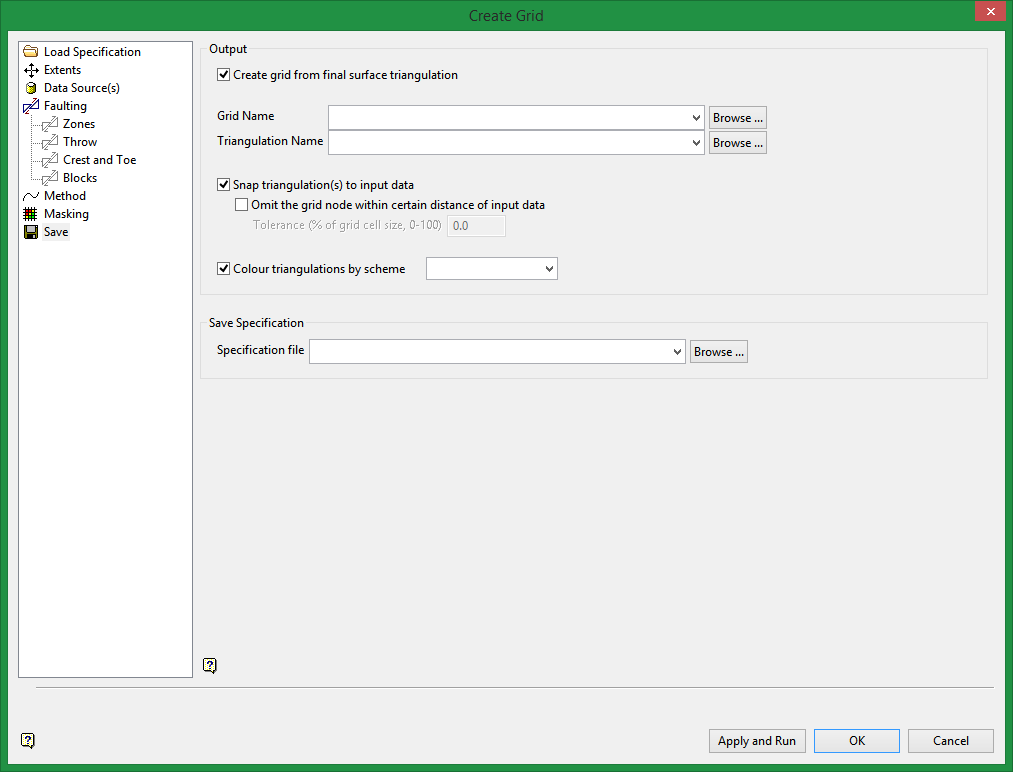
Output
Use this section to specify the storage location for the modelling output. You can choose to either save the output in the current working directory or in another location. When outputting to another location, the .tri and.grid folder extensions can be used to display the folder and its contents in the Vulcan Explorer application.
Note: We recommend that you store your grid output in your project folder, that is, your current working directory, to use the grids with other Grid Calc options.
Create grids from final surface triangulation or C reate triangulations from final surface grids
Select this option to create a triangulation from the final grid. If fault-blocking is specified, the Create grids from final surface triangulation check box is available. If fault-blocking is not specified, the Create triangulations from final surface grids check box is available.
Snap triangulation to input data
Select this option to snap the final triangulation to the input data points. This option is only applied to the final triangulation.
Omit the grid node within certain distance of input data
Control which grid points to output to the final triangulation. For example, if the grid point is within 1/10 (10%) of the grid spacing to an actual data point, then that grid point could be moved and snapped to the data point.
Note: If desurvey information is available, it is used by default when generating grid surfaces using this tool.
Save Specification
Enter a name for a new specification file or select a file that you want to save. The drop-down list displays all (.cg_spec) files found in the current working directory.
