

Explosives Timing
Use this option to set top hole delays for each hole in a ring design and connect up multiple rings for each blast.
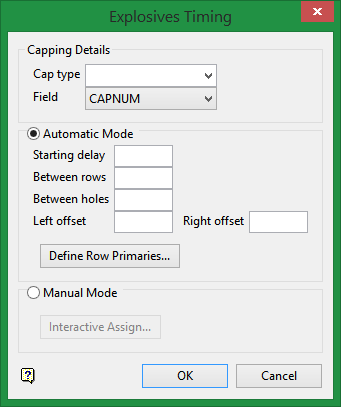
On the Underground menu, point to Ring Design, then click Explosives Timing to display the following interface.
Automatic Mode
For Automatic mode, select a primary hole for each row.
You will also need to input the timing delay for the following:
-
Starting delay
-
Between rows
-
Between holes
-
Left offset
-
Right offset
Define Row Priorities
Click to interactively assign the order of priority to the collars.
Manual Mode
For manual mode, select Interactive Assign to display the Assign Explosives Delays panel.
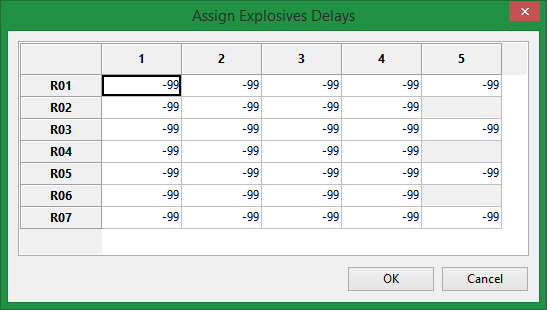
The window will automatically display the number of rings you have loaded on the screen with the number of collars per ring.
Select a collar and assign the delay.
Click OK to return to the Explosive Timing panel.
Cap type
Select the cap type from the drop-down list. This list is populated from the Capping Library table found on the Cappings tab of the Blast Specification File.
Click OK.
