

Desktop Icons
Creating a desktop icon
Desktop shortcuts allow you to quickly access project folders.
Note: Shortcuts for individual Vulcan programs cannot be created. Individual Vulcan programs are run through Vulcan or through the Workbench.
To create shortcuts:
-
Browse to the desired folder, data file or executable.
Example:
thor.dg1 -
Right-click to display the context menu, then click Desktop (create shortcut).
An alternative method:
- Right-click your mouse on an unused area of your desktop.
- From the context menu displayed, select New > Shortcut. Once selected, the Create Shortcut panel displays.
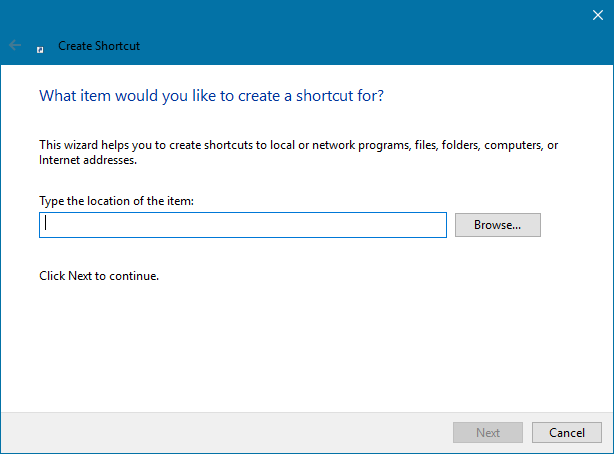
- Specify the location of the desired data file, folder or executable.
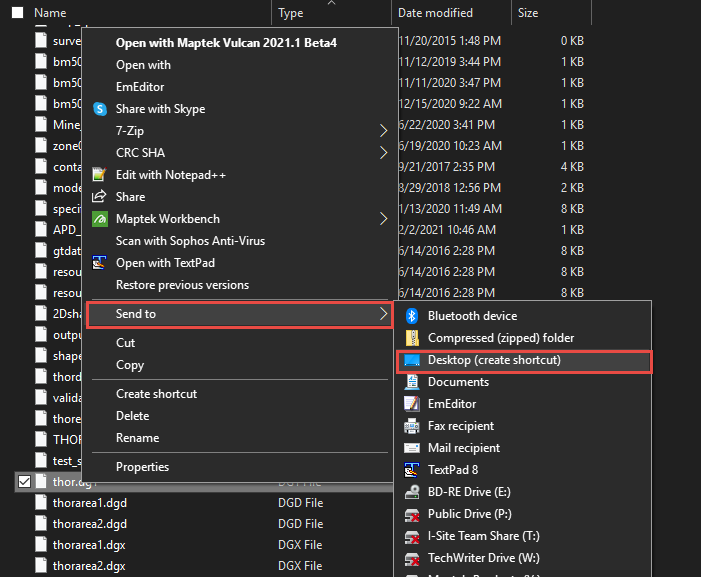
- Right-click to display the context menu, then click Desktop (create shortcut).
Was this page helpful?
