

From Shaft View
Transfer Design Data from a Shaft Transformation Window
Use the From Shaft View option to move from a shaft transformation window to a normal 3D window copying the design data displayed in the shaft transformation window.
Instructions
On the View menu, point to Shaft View, and then click From Shaft View ti display the Layer transfer details panel.
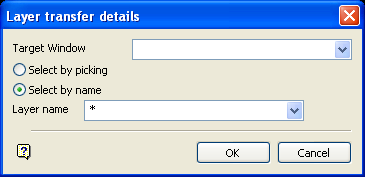
This panel operates in a similar way to the Layer transfer details panel displayed through using the To Shaft View option. The only difference is that the Window drop-down list excludes shaft transformation windows, so you cannot transfer data directly between shaft windows.
Click OK.
Was this page helpful?
