

Run Report 
Run a Database Report
Use Run Report to generate database reports based on the selection and report filters. The select filter selects the required objects from the database, and the report filter selects the required data from these objects.
Instructions
On the Geology menu, point to Drilling, and then click Run Report to display the Run Database Report panel.
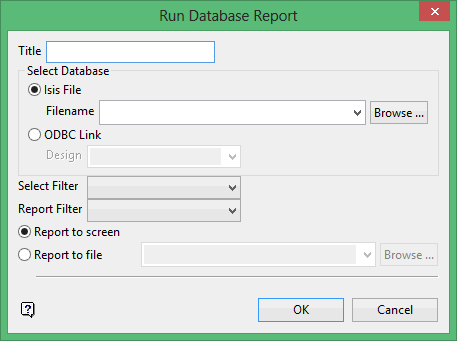
Title
Enter an optional title for the report. The maximum size is 128 alphanumeric characters.
Select Filter
Enter, or select from the drop-down list, the name of the selection filter. To select all records, leave this field blank.
Report Filter
Enter, or select from the drop-down list, the name of the report filter to be used on the selected objects.
The report can either be sent to the screen (via the Report Window) or to a nominated file. The maximum size of the file name is 128 alphanumeric characters. It is also possible to save the report through the Report Window.
Click OK.
The report is then displayed in the Report Window.
