

Export Triangulations to TIN
Esri ArcView (version 10.0+ or later) must be installed on the current machine in order to export triangulation data to the Esri format.
Instructions
On the File menu, click Export to display the Export panel.
Click Esri (shape, grid, tin) in the File Format column on the left.
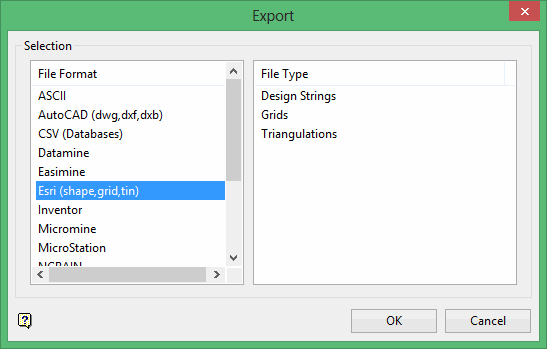
Select Triangulations from the File Type field on the right side of the panel.
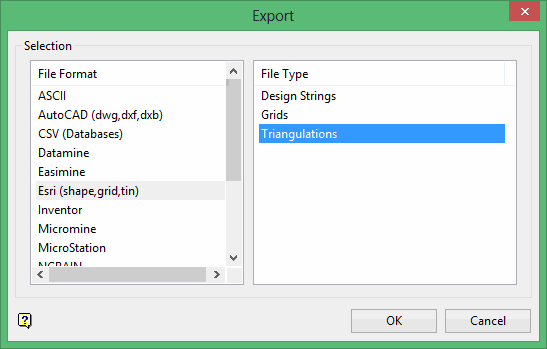
Click OK to display the Export TIN panel.
Selection
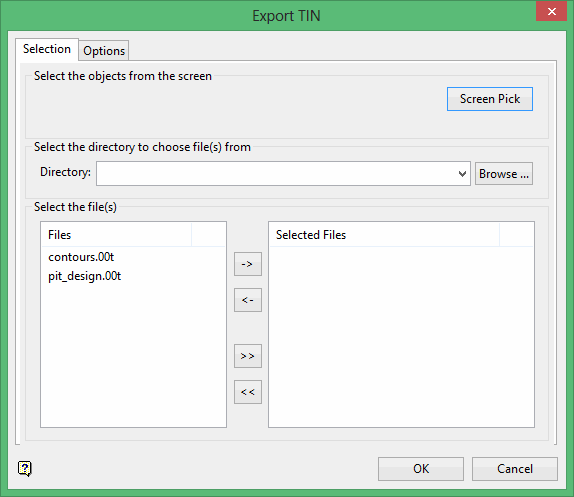
Select the triangulations you want to export by using any combination of the following options:
Screen Pick
Select triangulation(s) that are already displayed on the screen. Click on the triangulation(s) you want to export and then right-click to return to the panel. The triangulations you selected are listed in the Selected Files column in the Select the file(s) section.
Browse
Select the triangulation(s) to export by selecting them in the Select the file(s) section. All triangulation files in your working directory will be listed in the Files column. To select a different directory, click Browse in the Select the directory to choose file(s) from section.
Selecting the files
Move the items to the selection list on the right side of the panel.
- Click the
 button to move the highlighted items to the selection list on the right.
 - Click the
 button to remove the highlighted items from the selection list on the right.
 - Click the
 button to move all items to the selection list on the right.
 - Click the
 button to remove all items from the selection list on the right.
Options tab
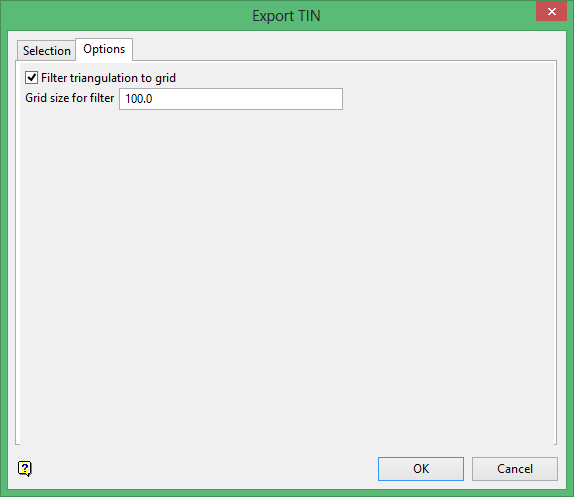
Filter triangulation to grid
Select this check box to temporarily convert the triangulation data into a grid. This will regularise the surface data, which may be useful if you are experiencing difficulties exporting triangulation files.
Click OK.
If you have chosen to export a single file, you will be prompted for the name of the resulting file, as well as its storage location. If you have chosen to export multiple files, the export will automatically commence, with the resulting files inheriting the names of the original Vulcan triangulation files, but with an extension of (.tin) added to end of the file name.
Example: If your Vulcan triangulation file is named vulcan.00t, then the resulting file will be named vulcan.00t.tin.
