

CSV Export
Export GEOTEC fields
The CSV Export option to export the GEOTEC fields that correspond with a collection of selected structural elements and store them in a nominated CSV file. The column headings for the exported fields are also exported.
The fields can also be exported via the Vulcan right-click context menu. Simply right-click on highlighted structural elements and select the Geotech > Export CSV option from the displayed context menu.
The fields in the resulting file will be listed in the order that they are displayed in the associated GEOTEC table.
Rubber band selection in stereonets is only possible in plan view, i.e. rubber band selection will be disabled if the stereonets have been rotated. Use the  Reset View button (on the Graphics toolbar) to return to plan view.
Instructions
On the Geotech menu, point to Utilities, then click CSV Export.
The following panel displays.
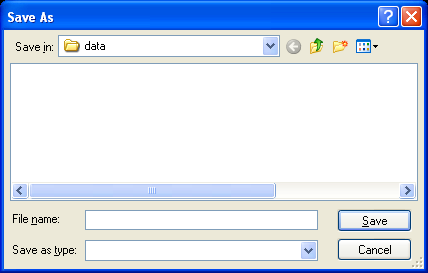
Save As panel
Specify the name and storage location for the file that will be used to store the exported fields. If you are entering the file name manually, then you will be required to enter the .csv file extension. If you choose to you use an existing file, then you will be required to confirm whether or not you want to overwrite the contents of the nominated file.
Select Save.
The Multiple Selection box is then displayed. Specify a selection method, for example by group, by object etc., and select the necessary structural elements. Once chosen, the fields are then exported to the nominated CSV file.
