

W Tag
Set the W Value for a Point
Use the W Tag option to set a fourth parameter (W value) for a specific point. The other three parameters are X, Y and Z. A W value may be useful in, for example, underground mine design for the service station number.
To label points with their current W value, select the object that contains the points, right-click on it and select Label > Point W value from the displayed context menu.
Tip: Use the W Tag option (under the Design > Object Edit submenu) or the Assign W Tag option (under the Design > Attribute Edit submenu) to apply W values to all points in a chosen object.
Instructions
On the Design menu, point to Point Edit, and then click W Tag.
Select the object that contains the points whose W value you want to alter. Once chosen, the selected object and its points are highlighted.
Select the point.
The following panel displays.
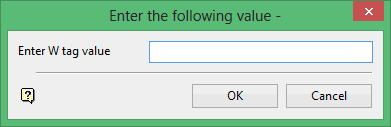
Enter the new W value (the default is the current W value).
Click OK.
The new W value is then applied.
You are then prompted to select another point. Cancel when you have finished setting W values.
