

Create Bench Plan
Design Data
Instructions
On the Grade Control menu, click Create Bench Plan to display the Blast Selection Parameters panel.
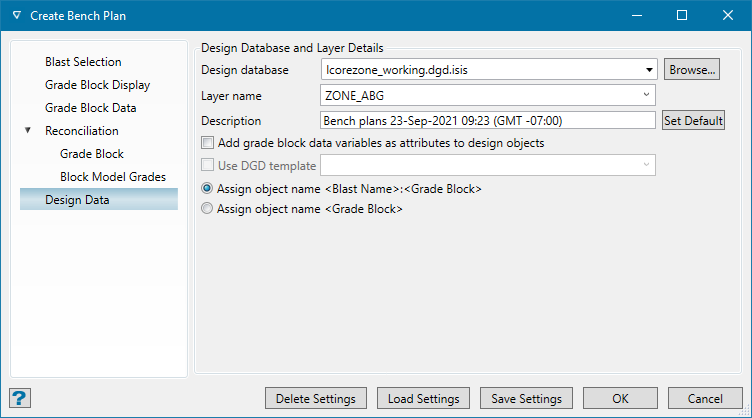
Design Database and Layer Details
Design database
Select or verify the database that the information will be taken from. By default, this is already populated with the design database that is currently open.
Layer name
Select a layer from the drop-down list, or enter a name for a new layer. The data table will be saved to this layer.
Description (optional)
Click in the space provided to enter a description of the layer.
Add grade-block data variables as attributes to design objects
Select this option if you want to include the variable(s) that were selected in the Grade Block Data pane as object attributes.
Use DGD template
Select a template from the drop-down list, or enter a name for a new template.
Assign object name
Select whether to name the object <BLAST_NAME>:<GRADE_BLOCK_NAME> or <GRADE_BLOCK_NAME>.
Was this page helpful?
