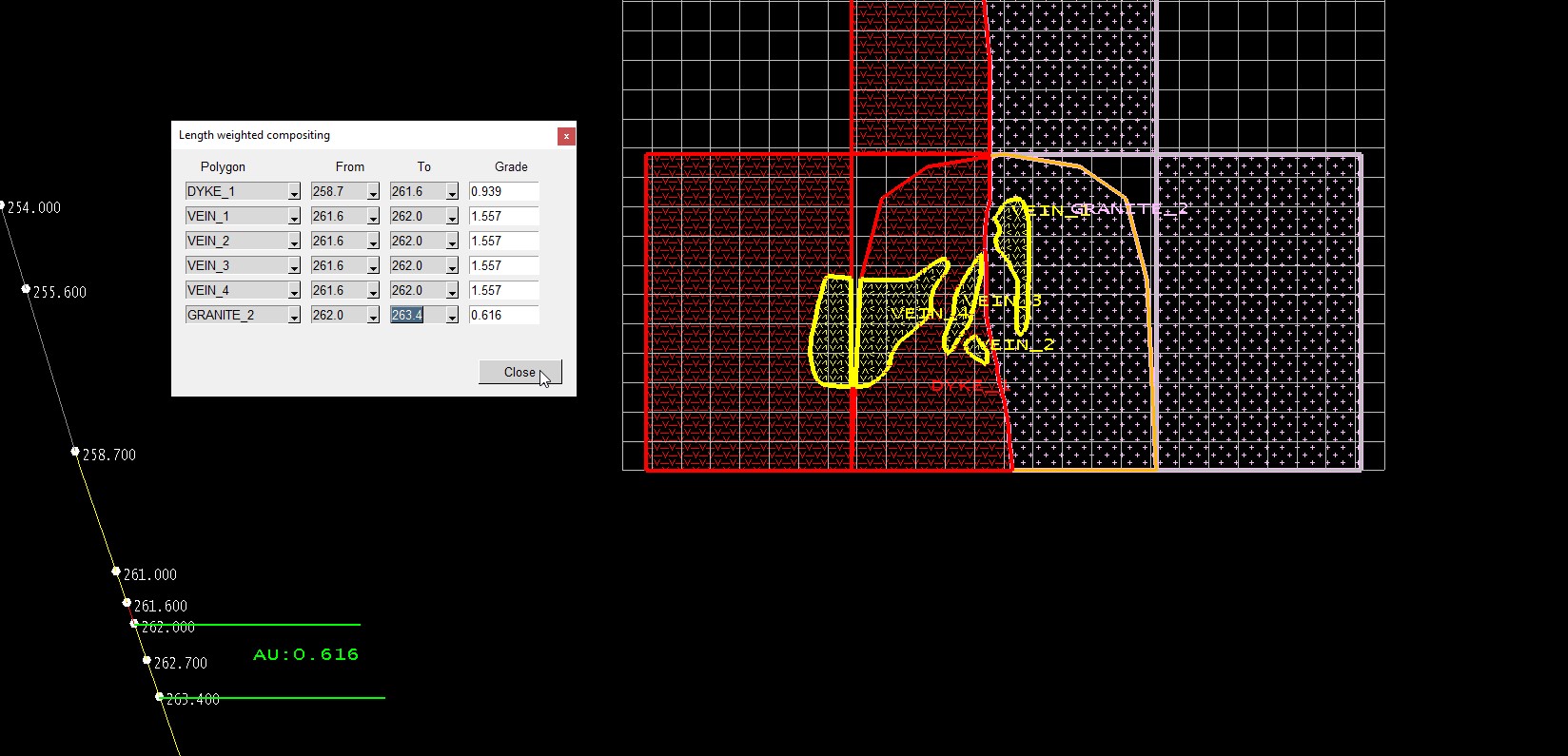
Face Reserve Grades
Allows for:
-
Reserves to be run on a face primitive created from the face template.
-
Length-weighted downhole composites to be calculated from a selected drillhole near the face to be applied to the mapping polygons.
Instructions
On the Face Mapper menu, point to Mapping, then click Face Reserve Grades.
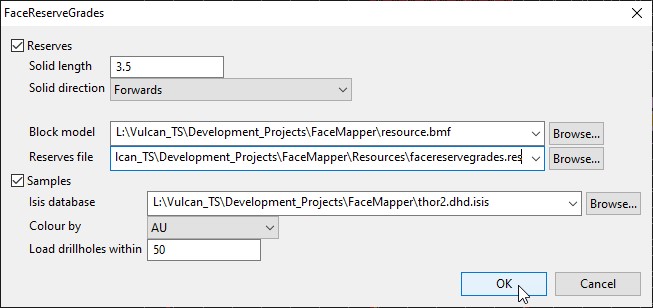
Reserves
Creates a primitive from the face template and runs reserves with the selected block model. The grades calculated from reserving are written to a ‘FaceReserveGrades.csv’ file in the project directory, which is then passed to the ‘Estimated Grade’ tags in a
‘facereservegrades.json’ file in the ‘Spec’ sub-directory of the project directory.
Solid length
The desired length (depth) to create the primitive.
Solid direction
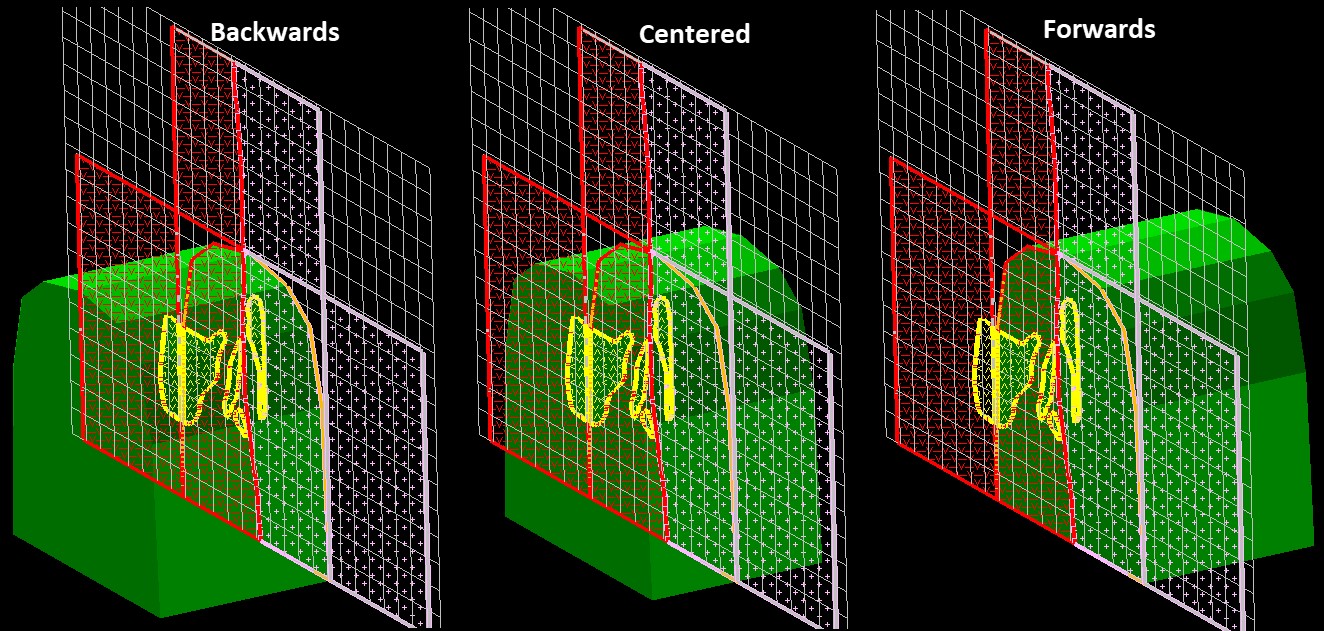
Determines the projection direction for creating the face primitive:
-
Backwards – Creates the primitive the ‘solid length’ distance backwards from the face template.
-
Centered – Creates the primitive the solid length distance with the template centered in the primitive.
-
Forwards – Creates the primitive the solid length distance forwards from the face template.
Block model
The block model to use to perform the reserves calculations.
Reserves file
The reserves specification (.res) file to use perform the reserves calculations. See Face Reserve Grades Reserves file settings in the Face Reserve Grades settings section for more information.
Samples
This option performs the following steps:
-
Creates a triangulated sphere.
-
Loads the drillholes that intersect the sphere.
-
Allows the desired drillhole to be selected.
-
Allows the desired intervals downhole to be selected to calculate length weighted average grades.
Isis Database
The drillhole database that contains the drillholes to use for length weight compositing. Note: This is NOT the samples.face.isis database used in other Face Mapper tools.
Colour by
Which field to load and colour the drillhole trace with. This should usually be the grade variable that will be used for the length weighted compositing.
Load drillholes within
The radius for the sphere (from the centre of the face) that will be created to load any drillholes that intersect it.
Instructions
After selecting ‘OK’ from the main panel the polygons within the face template will be labeled (with their object name), any drillholes that intersect the sphere will be loaded on screen and the user will be asked to select the desired drillhole to use for length weighted compositing. Note : Section widths will need to be made larger to see loaded drillholes.
Once the desired drillhole has been selected downhole depth labels will be applied to the drillhole and the following panel will be displayed.
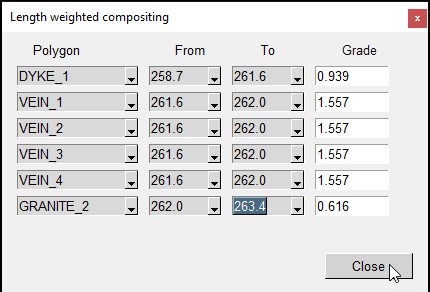
Polygon
A combo box that allows selecting of the desired mapping polygon to apply the length weighted grade value to.
From
A combo box that allows selecting of the desired ‘From’ depth downhole for the length weight compositing.
To
A combo box that allows selecting of the desired ‘To’ depth downhole for the length weight compositing.
Grade
The calculated length weight grade for the intervals in the select ‘From’ and ‘To’ range. Grades are auto-calculated when the ‘To’ field is selected for each row. This field name will reflect the 'Elements' in the Create Resources settings.
Once grades have been calculated for the selected polygons select ‘Close’ on the panel and the these values will be written out to the ‘Actual Grade’ tags in a ‘facereservegrades.json’ file in the ‘Spec’ sub-directory of the project directory.