

Import Blast Holes
Import Options panel
Use Import Blast Holes to import values from a nominated CSV ( Comma Separated V alues) file into the blastholes of the currently active blast.
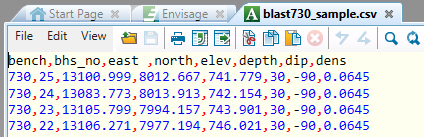
Diagram 1 CSV file format (as viewed through Vulcan Text Editor)
In the example shown above the first line of the CSV file is used to identify the case sensitive variable names, i.e. iron (fe) and silica (sio2), with the following entries containing field values and hole numbers. A single alphanumeric character, in this case a comma, has been used to separate each variable and its value.
Instructions
On the Grade Control menu, click Import Blast Holes to display the Import Blast Holes panel.
After completing the Import Blast Holes panel, click OK to display the Import Options panel.
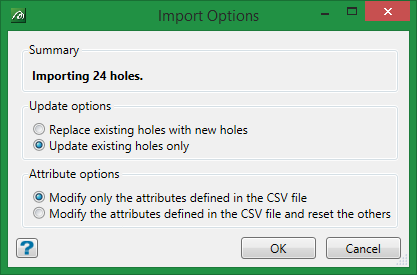
Summary
This will report how many holes were imported.
Update options
You have the option to Replace existing holes with new holes or Update existing holes only. If you chose to update existing hole only, holes that have already been loaded will be kept and new ones will be added.
Attribute options
You have the option to Modify only the attribute defined in the CSV file or Modify the attributes defined in the CSV file and reset the others to an undefined state (-99).
