

Maptek Evolution Model
This interface will evaluate and transform data such as block models to Open Pit Scheduler prerequisites.
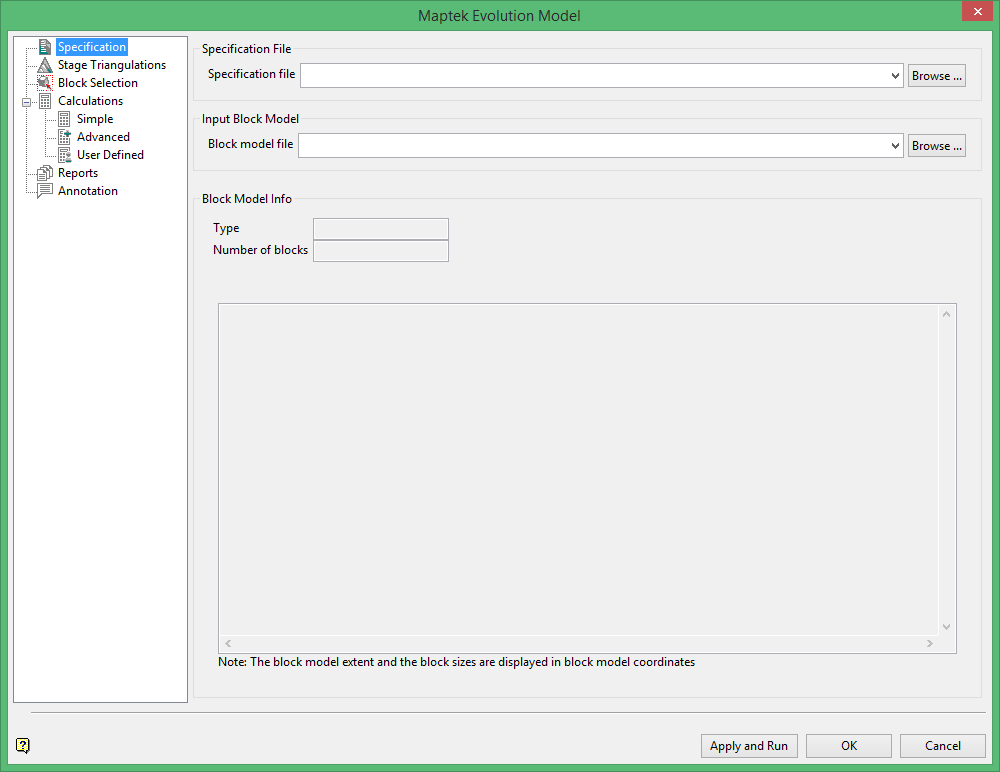
Specification File
Select the specification file from the drop-down list or enter a new filename in the space provided.
Input Block Model
Select the block model from the drop-down list, or browse for one by clicking the  button.
Block Model Info
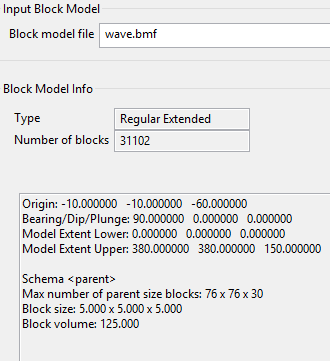
Once a block model has been chosen, the information about the model will be displayed automatically, as shown below in Diagram 1.
1
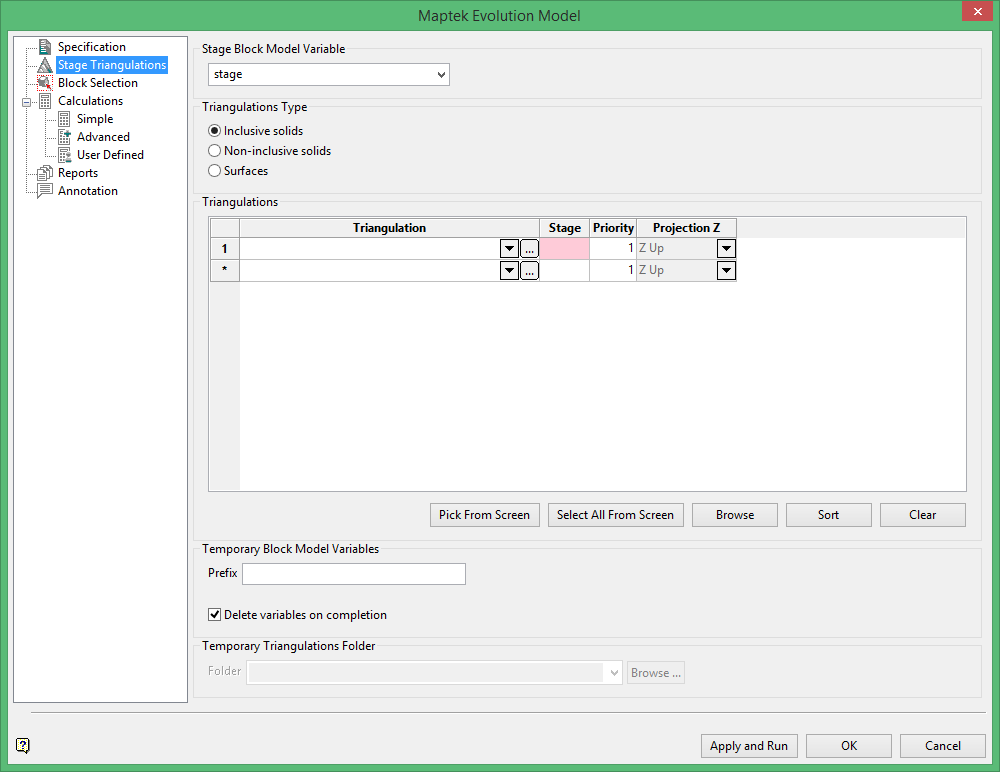
Stage Block Model Variable
Triangulation Type
Select the type of triangulations you are working with. There are three options to choose from regarding the type of triangulation to use.
-
Inclusive solids - refer to triangulations for which you will need to set the order of priority
-
Non-inclusive solids - refer to triangulations for which will be greyed out and you will not need to set the order of priority
-
Surfaces - refer to triangulations which are not enclosed as a solid
Triangulations
Select the triangulation from the drop-down list, or browse for one by clicking the  icon.
icon.
Stage
Assign the stage of mining sequence that the triangulation represents.
Priority
If there is more than one triangulation then assign a priority of rank to them. The higher the number, the higher the priority. In the event that two or more triangulations overlap, the triangulation with the highest priority will take precedence. In such cases, any blocks being flagged will only be assigned a flag from the triangulation with the highest priority. All other triangulations will be ignored in those areas.
Projection Z
Select the projection axis. The projection axis defines the direction for a surface and has no effect when working with solids. This option is used in situations where steeply dipping structures define regions. For triangulation (ore bodies) that are near to horizontal (lying in the XY plane), you would project along Z axis. The area of interest is then below the triangulation (Z Down) is selected) or above (Z Up).
Temporary Block Model Variables
Prefix
If you choose to keep the variables used in the calculations you can assign a prefix to the variable names. Enter the prefix here.
Delete variables on completion
Click this option to delete the variables.
Temporary Triangulations Folder
Select a folder in which to store the temporary triangulations.
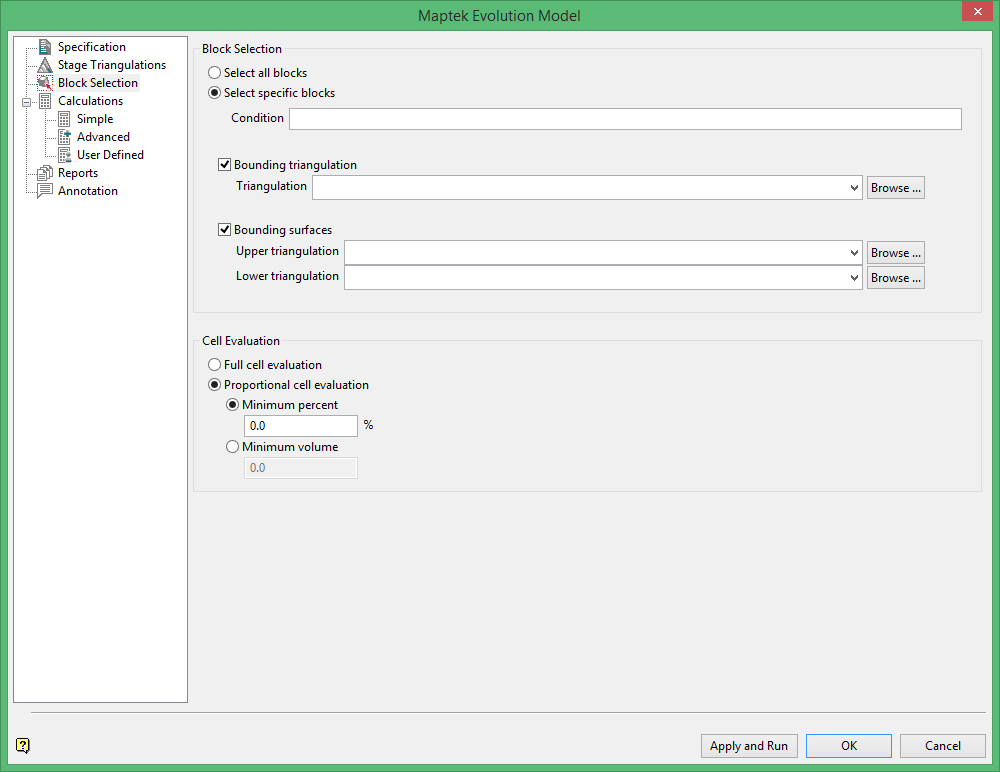
Select all blocks
Select this option to use all blocks in the block model.
Select specific blocks
Select this option to limit the choice of blocks used in the model.
Condition
Select this option to use a further constraint upon a numeric block model variable, for example Fe GT 10.0 (iron value greater than 10.0). The maximum size of the condition is 132 alphanumeric characters. A list of available operators/functions to use when defining this condition is provided in Appendix D.
Bounding triangulation
Select this check box to restrict the blocks by a triangulation. This is useful when, for example, you want to evaluate reserves within a particular solid triangulation such as a stope.
Note: This option is not applicable to open or 2D triangulations.
Bounding surfaces
Select this check box to restrict the blocks by bounding surfaces. Once the Block Selection panel has been completed, you will be required to select the top and bottom surface triangulations. Only blocks that lie within the overlapping sections, as viewed in plan view, of the surfaces are selected.
Use full cell evaluation
Select this option to include blocks if the centroid falls in the triangulation. The entire block is included.
Use proportional cell evaluation
Select this option to include those blocks that touch the region, and evaluate according to the proportion of the block's volume that lies in the region. Proportional cell evaluation calculates and reports the exact proportion of a block in a triangulation.
Enter the Minimum percent or Minimum volume.
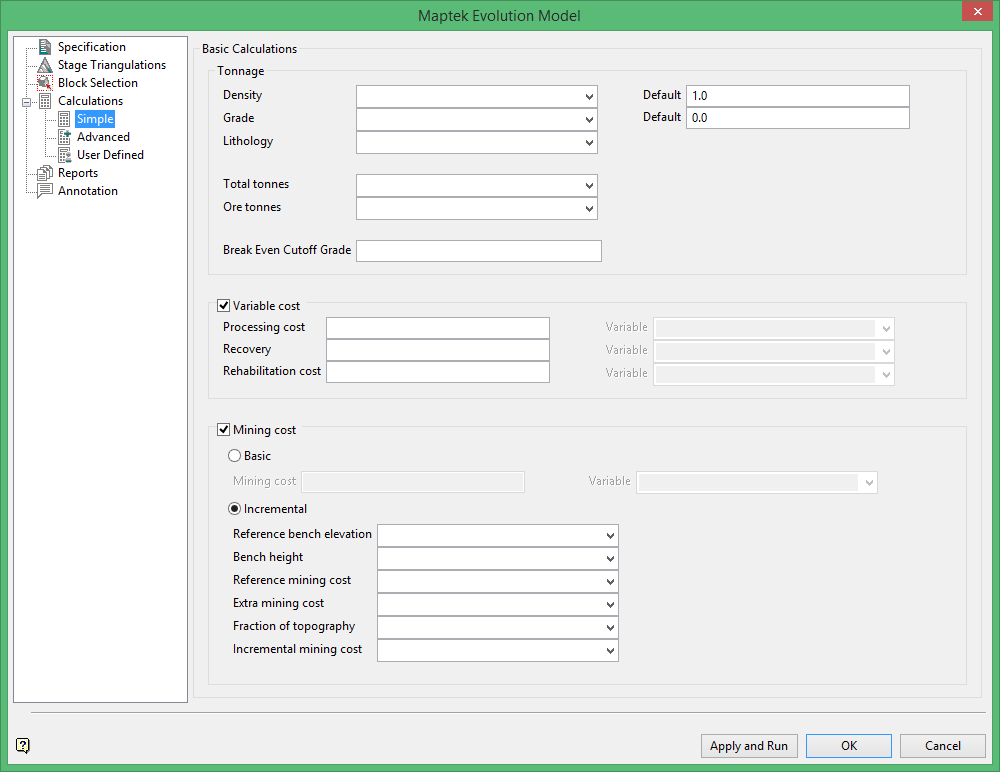
Basic Calculations
Tonnage
From the block model, select the variables for Density, Grade, Lithology, Total tonnes and Ore tonnes. Then assign default values for Density, Grade and the Break Even Cutoff Grade.
Variable cost
Check this box is you want to calculate variable costs for Processing cost, Recovery and Rehabilitation cost. Enter a cost into the space provided. Once a number has been entered into the textbox the drop-down menu for selecting the variable to store the results will become available.
Mining cost
Check this box if you want to calculate a mining cost. You will have a choice between a basic or incremental cost calculation.
Basic
Select this option to calculate a basic cost. Enter a general mining cost and select a variable from the drop-down list to store the results.
Incremental
Select this option to calculate incremental costs. Enter information for the following items:
-
-
Reference bench elevation
-
Bench height
-
Reference mining cost
-
Extra mining cost
-
Fraction of topography
-
Incremental mining cost
-
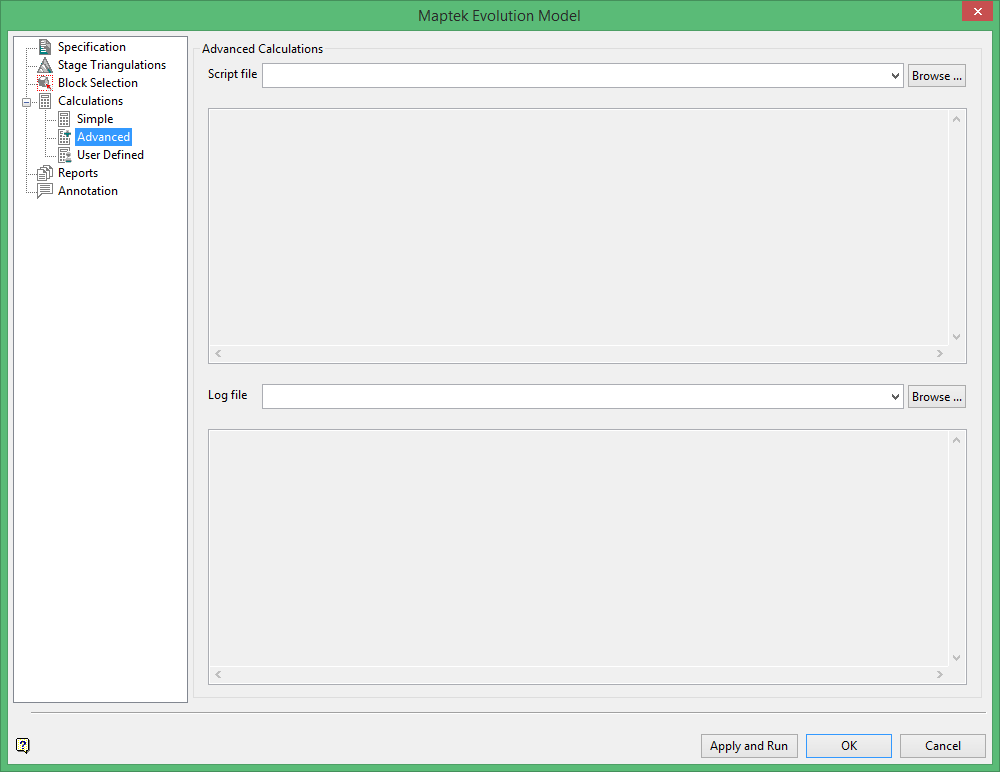
Advanced Calculations
Script file
Choose a script file from the drop-down list. Script files are ASCII files containing lists of conditions and expressions. The operators/functions that can be used in these conditions/expressions are listed in Appendix B.
Log file
Choose a log file from the drop-down list. The calculated reserves will be written to the log f ile. Refer to Appendix A for an example.
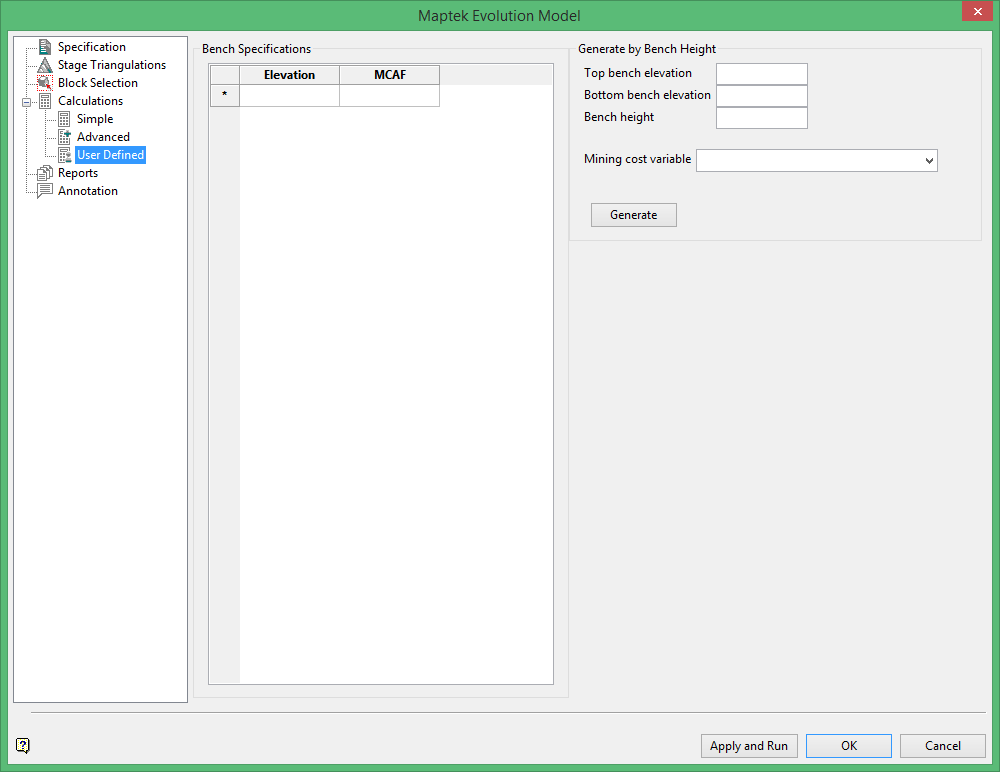
Generate by Bench Height
Top bench elevation
Enter the elevation of the top bench.
Bottom bench elevation
Enter the elevation of the bottom bench.
Bench height
Enter the average height of each bench.
Mining cost variable
Select the mining cost variable from the drop-down list.
Generate
Click the Generate button to automatically populate the Bench Specifications table.
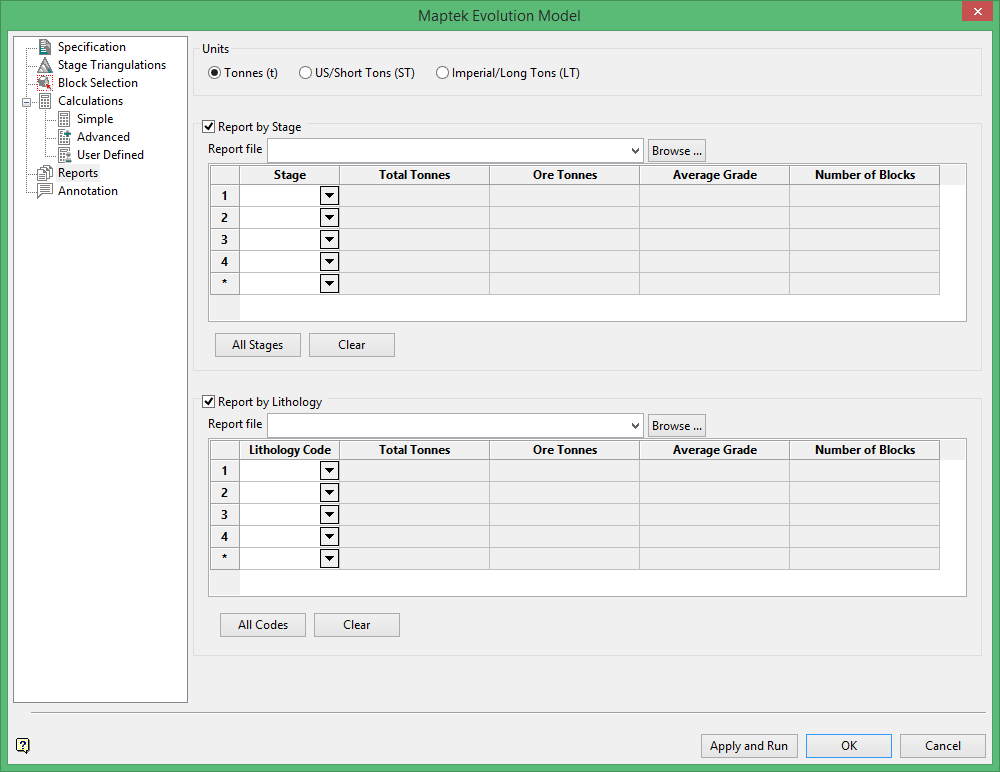
Units
Select the units used.
Report by Stage
Select this option to produce a report by Stage sequence. Select the report file from the drop-down list.
Report by Lithology
Select this option to produce a report by Lithology. Select the report file from the drop-down list.
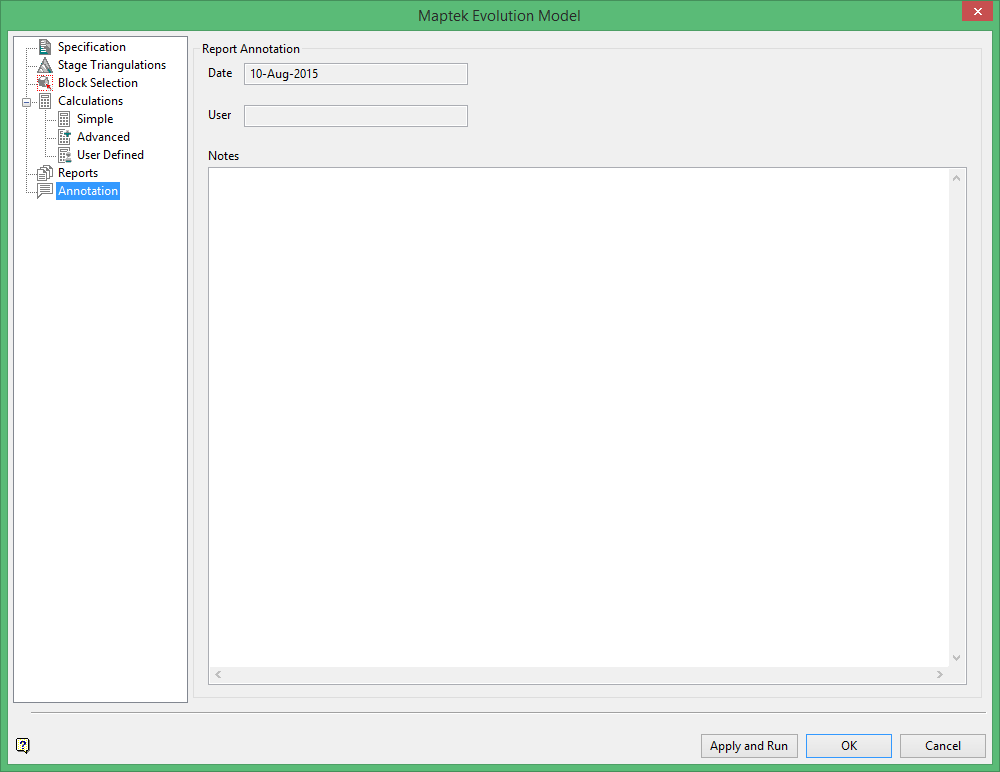
Date and User are automatically populated.
Notes
Use this field to enter any additional information not already included in the report.
