

Horizons
The Horizons list is used to select the structural and quality surfaces you wish to create.
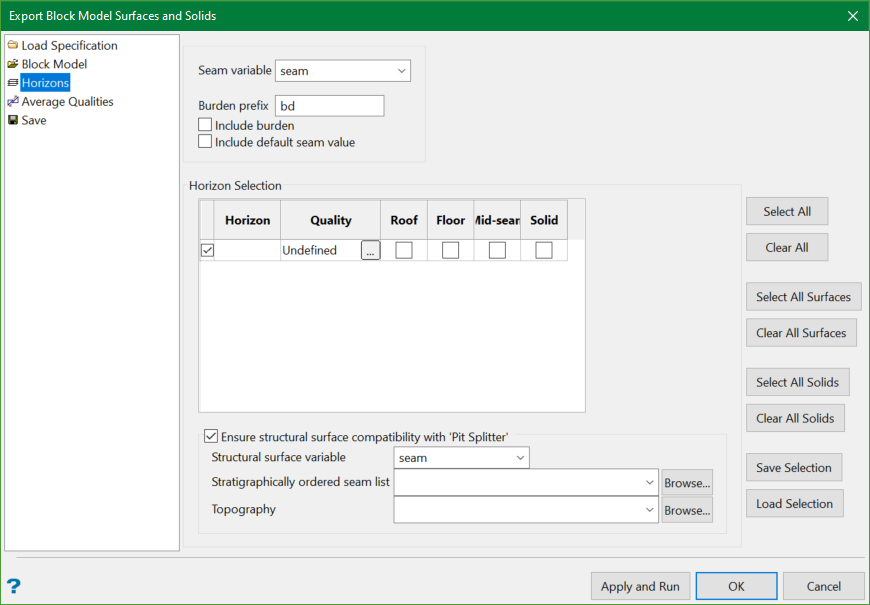
Seam variable
The seam variable is a name type block model variable containing the horizons names. The variable is usually called 'seam', but any other relevant variable could be selected.
When a seam variable is selected, the Horizon Selection table is automatically populated with the list of all horizons names for the variable.
Burden prefix
This is a prefix in the horizon name indicating that the horizon is classified as burden.
Include burden
Select this check box to add all burden horizons to the Horizon Selection.
Include default seam value
The default value of the seam variable, usually indicating no data, could also be included in the horizons list to export to surfaces, by selecting the Include default seam value check box.
Horizon Selection
This section contains the list of all horizons and the types of surfaces to export from each of the selected horizons.
Use the side buttons or the check boxes in the Horizon Selection table to define the horizons list.
There are three types of exported surfaces:
- structural
- quality
- solid
One or more of the structural surfaces may be selected. They represent the horizons:
- roof
- floor, or
- mid-seam.
The solid surfaces represent triangulations between roof and floor seams. You can choose to export solids directly from a HARP model.
The quality variable surfaces represent the horizons' qualities. The exported qualities can be defined for each horizon in the horizons list. Click  to open the Quality Variables panel.
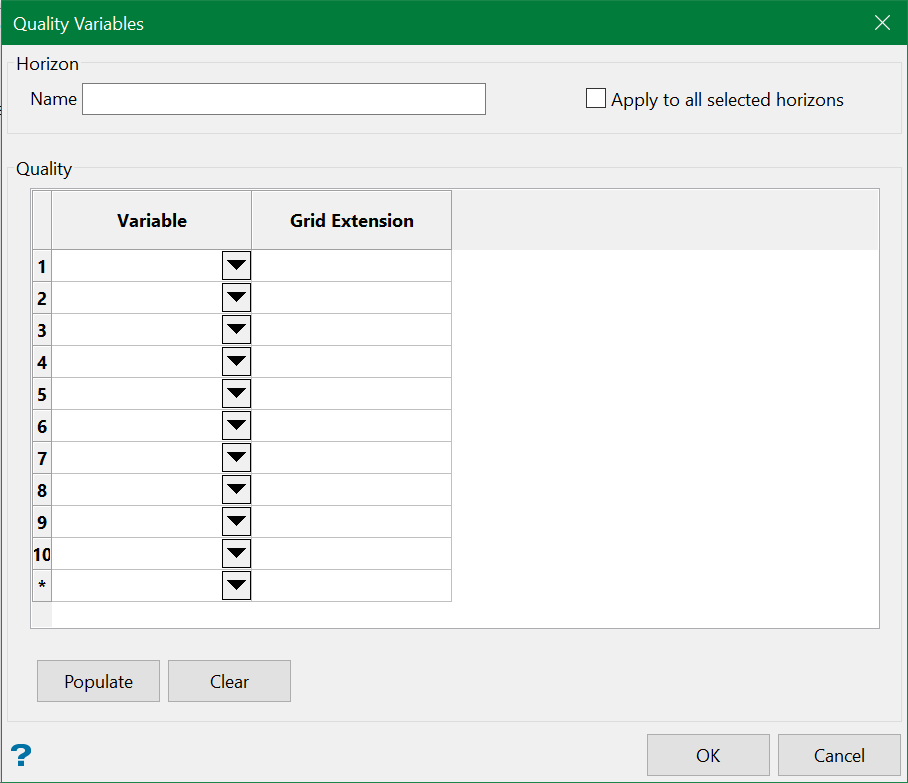
Variable
The drop-down list in the Variable column contains numeric block model variables. Select the variables which will be exported to quality surfaces. Additional rows are automatically added with each selection.
Grid Extension
When exporting quality grid surfaces, the grid extensions are automatically assigned based on the first two letters of the block model variable. However, users can manually specify these grid extensions by simply typing in the respective rows. This would also help in situations where block model variables share the same first two letters.
Populate
Click Populate to populate the Variable column with all numeric block model variables.
Apply to all selected horizons
Select this check box to apply the qualities definition to all selected horizons in the horizons list. All block model quality variables defined in the Quality table will be exported to surfaces for each of the horizons.
Ensure structural surface compatibility with 'Pit Splitter'
Selecting this option allows the exported seam structural surfaces to be modelled to the full extent of the mine area (i.e. masked) and can be used in the Pit Splitter (Open Pit > Open Pit Solids > Split Pit ) option.
Structural surface variable
This is the name of the actual seam variable that the structural surfaces are to be filled in.
Stratigraphic ordered seam list
This is the order by which the seams are to be listed in the output and the rules are defined in the .gdc_blob file in the <proj> directory.
Topography
If there are still some gaps (i.e. pinched surface) during the process, then the seam surfaces are extended with respect to the topography chosen.
