

Load Specifications
This option allows existing specifications to be loaded to run Grade Control.
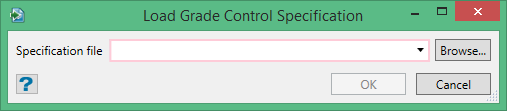
The panel has a field into which the specification source name can be typed. Alternatively, the field is also a combo-box which allows for specifications files within the current project folded to be selected from the drop list. A browse button also allows for specifications files from any location to be selected.
Note: The Corporate Standards folder will be used to load the grade control specification files if the environment variable is set to an existent folder. If the Corporate Standards folder does not exist, it reverts back to the project folder.
Specification Format
Specification files for Grade Control V2 are denoted by the extension .gcs (as acronym for Grade Control Specification). They are text files formatted as XML.
Under Workbench, it is possible to define a user who is not permitted to alter specifications (for Corporate Standards reasons). In this case, the actual specifications will also be encrypted in a separate section in the file. These files will still contain the human readable XML for reference purposes – but the active specifications will be contained a text encrypted section. So no amount of editing of the XML (or even deleting it) in these files will change the specs. There is an option for system managers (super users) to reconstruct the encrypted section from the XML section in the event of dire catastrophe of having no other source for them.
