

Project Setup
This section provides options to select the drillhole database, create and edit horizon lists, define splitting relationships, and check the validity of the drillholes. There are mainly four options:
In the Streamlined Stratigraphy tool, once you confirm the deposit is correlated, the workflow will guide you to the Project Set up panel. The panel is divided into four tabs:
Database
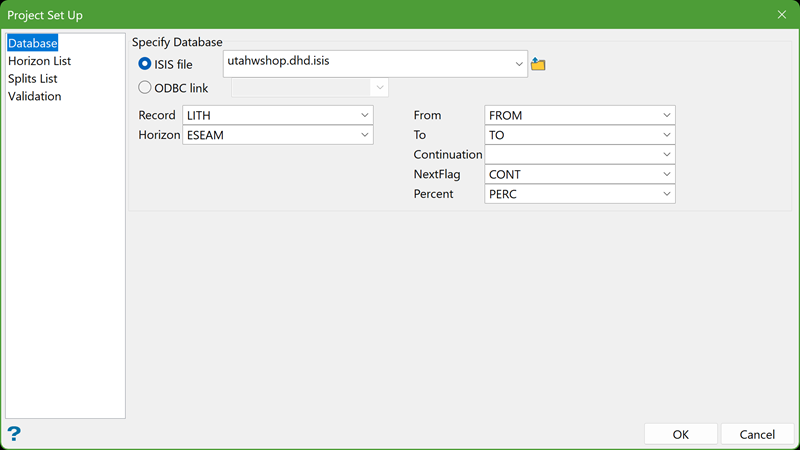
Choose the drillhole database that contains the Horizon List. You can select it from the drop-down menu or browse through another location.
Select the required parameters for the database, such as Record, Horizon, and more.
Horizon List
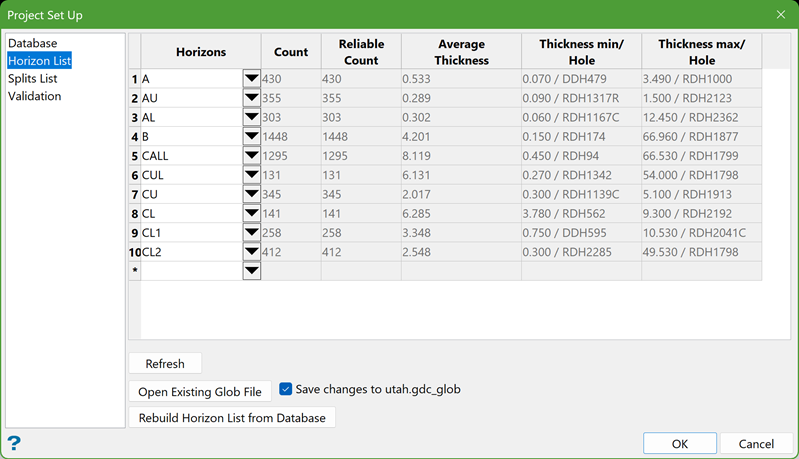
This section displays a list of horizons from the selected database. Alternatively, you can select a pre-saved glob file to load the horizons. You can also edit the horizon list as needed.
Refresh
Use this option to update the parameters for any changes made to the list of horizon.
Open Exisiting Glob File
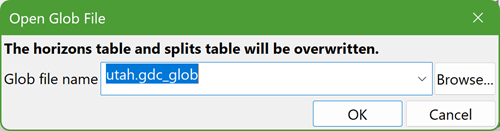
Use this option to import horizons from an existing .gdc_glob file. Click on the button and the following panel is displayed.
-
Select an existing glob file from the drop-down or browse through another directory.
-
Select the checkbox Save changes to <glob_file> to overwrite any changes on the same glob file.
Rebuild Horizon List from Database
Use this option if you want to use the Horizon List from the database rather than from a glob file.
Note: Although there is no limit to the number of glob files that can be loaded or saved, it may be impractical to work with more than 500 horizons.
Splits List
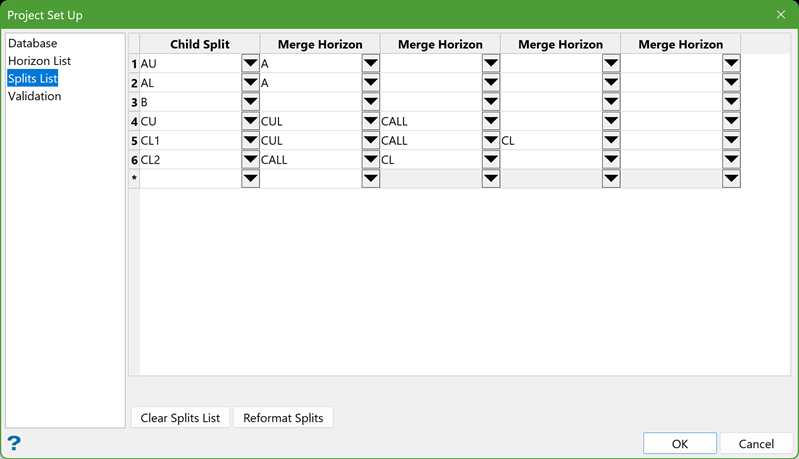
The Splits List defines the splitting relationships of seams. Seams without any splits are listed under the Child Split column. For seams that involve splitting, the smallest degree of splitting is defined in the Child Split column, with subsequent merging into larger seams to the right. The parent seam is the last seam merged on the right.
Clear Splits List
Use this option to remove all splits from the grid. This allows you to manually define the splitting relationships as needed.
Validation
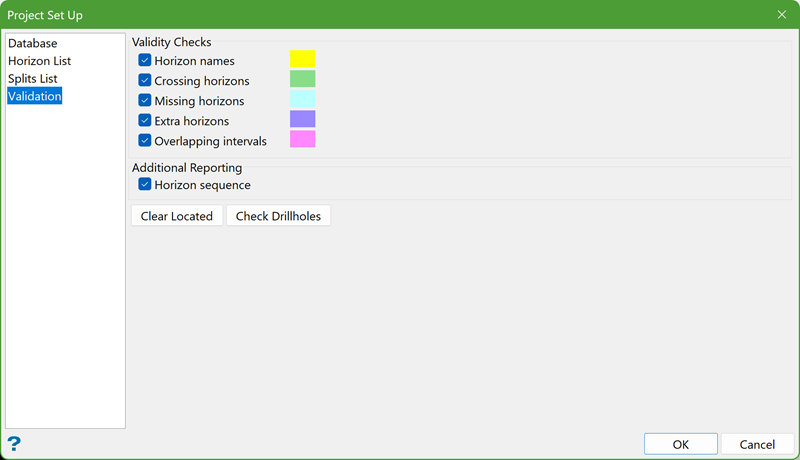
This option utilises the Horizon List to identify discrepancies in the displayed drillholes. Discrepancy details, including crossing horizons, extra horizons, overlapping intervals, missing horizons, and horizon sequence, are shown in the Report Window. Additionally, drillholes with discrepancies are highlighted in Plan View.
Horizon Names
Select this checkbox to report discrepancies in the names of horizons.
Crossing Horizons
Select this checkbox to report when the stratigraphic order of horizons in the drillholes deviates from the order in the Horizon List.
Missing Horizons
Select this checkbox to report drillholes that lack a horizon listed in the Horizon List.
Extra Horizons
Select this checkbox to report drillholes that contain horizons not listed in the Horizon List.
Overlapping Intervals
Select this checkbox to report when the top or bottom of a horizon overlaps with another horizon.
Horizon Sequence
Select this checkbox to report the sequence of horizons.
Check Drillholes
Drillholes with discrepancies are highlighted in Plan View. The Report Window will display the information for correcting the database.
Clear Located
Removes the highlight from the discrepant drillholes in Plan View.
