

GIF10
Note: Do not use the menu items on Survey_the.gif10 unit to start an upload. Vulcan sets up the unit for the upload. If you try to do it from the unit, then the error message "Unit not ready" displays.
The Survey_Wild.gif10 Parameters panel displays.
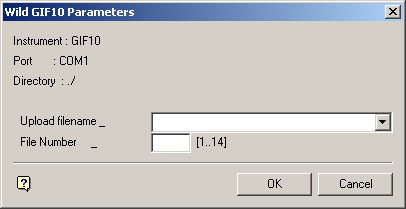
Survey_Wild.gif10 Parameters panel
The instrument, port and path are determined by the Set Up option.
Upload filename
Enter, or select from the drop-down list, the name of the upload file (<filename>.wild_out or <filename>.gsi).
Note: When you create a file in Survey_the.gif10 to upload, make sure that it is big enough to hold the data. If you seem to be uploading okay and then you get an error, you may need to recreate the file with more size.
File Number
The upload file can be stored in any of the 14 files available (there are only 14 file positions available Survey_in.gif10 data recorders).
Select OK.
Survey_The.gif10 Parameters settings panel is then displayed. This panel allows you to verify the parameter settings to which your instrument should be set.
Note: On a PC, you may need to set Survey_the.gif10 to DCE rather than DTE, depending on your cabling.
Select OK to upload the file to the instrument.
