

GRE4
The Wild GRE4 Parameters panel displays.
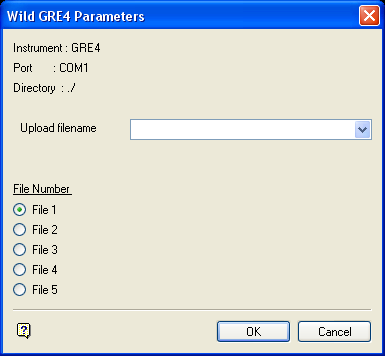
Wild GRE4 Parameters panel
The instrument, port and path are determined by the Set Up option.
Upload filename
Enter, or select from the drop-down list, the name of the upload file (<filename>.wild_out or <filename>.gsi).
File Number
The upload file can be stored in any of the five files available (there are only five file positions in GRE3/GRE4 data recorders).
Select OK.
The GRE4 Parameters settings panel is then displayed. This panel allows you to verify the parameter settings to which your instrument should be set.
Select OK to upload the file to the instrument.
Was this page helpful?
