

LEICA_TPS1000
The LEICA TPS1000 Parameters panel displays.
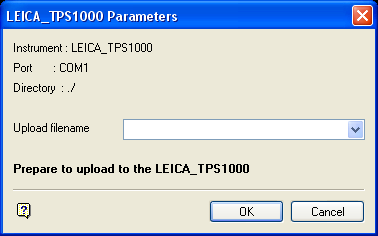
LEICA_TPS1000 Parameters panel
The instrument, port and path are determined by the Set Up option.
Upload Filename
Enter, or select from the drop-down list, the name of the upload file (<filename>.leica_out or <filename>.gsi).
Select OK.
You will then need to start the Send and Receive GSI data program (an additional program on the LEICA instrument that can be obtained from your LEICA dealer).
The LEICA TPS1000 Parameters settings panel is then displayed.
Check that the communication and Send/Receive protocol settings on the LEICA instrument are as shown in the above Vulcan panel.
To set the Communications settings on the LEICA instrument, go to the main LEICA menu and press F3. Then select the GSI communication parameters option. To set the Send/Receive Protocol settings, press Shift and F2 in the Send and Receive GSI data program.
On the LEICA instrument, select the file you want to upload into and then press F5 to receive. You will then need to immediately select OK on the Vulcan panel. The time delay setting in the Send/Receive communications settings (Shift and F2 in the Send and Receive GSI data program) may help to stop the instrument reverting from receive mode to standby mode before OK is selected.
